LumenAI with Ollama

Dear All,

I just try LumenAi and since I used ollama locally i try to follow the documentation

(https://lumen.holoviz.org/installation/#locally-hosted)

previously my ollama have been installed and work well with openwebui and using the default address.

however when use the LumenAI serve, in backend it said:
openai/_client.py", line 488, in init
raise OpenAIError(
openai.OpenAIError: The api_key client option must be set either by passing api_key to the client or by setting the OPENAI_API_KEY environment variable

is there any procedure or step which may be I forgot to setup? kindly please advise.

thanks

@rh1 Can you tell us how you launched Lumen here?

Hi @philippjfr what I did:

  1. pip install ‘lumen[ai-ollama]’
  2. lumen-ai serve

I just did that steps because I have run ollama previously before install lumen. is it any additional work/setting needed before serve the lumen?

kindly please advise.

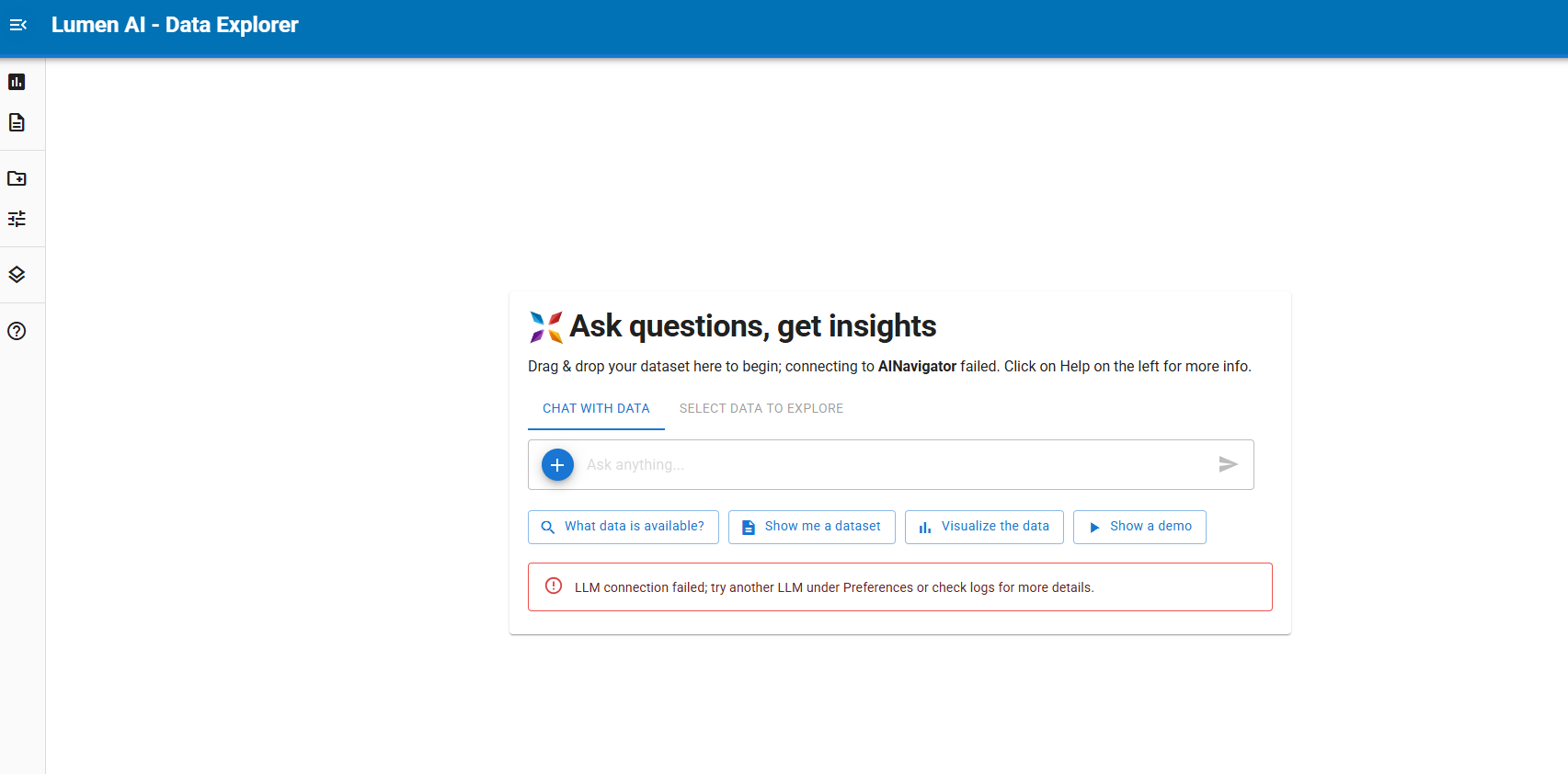
It seems to be connecting to AI Navigator. I’ll look into this.

Actually I believe you need to specify the provider:

lumen-ai serve --provider ollama

Thanks for testing, I improved the check and docs here:

e class="onebox githubpullrequest" data-onebox-src="https://github.com/holoviz/lumen/pull/1661">
github.com/holoviz/lumen

More robust provider detection and check

holoviz:mainholoviz:improve_llm_check
opened 08:45PM - 30 Jan 26 UTC

Previously, we would check if LLM is accessible by consuming a bit of tokens. He

hi @ahuang11

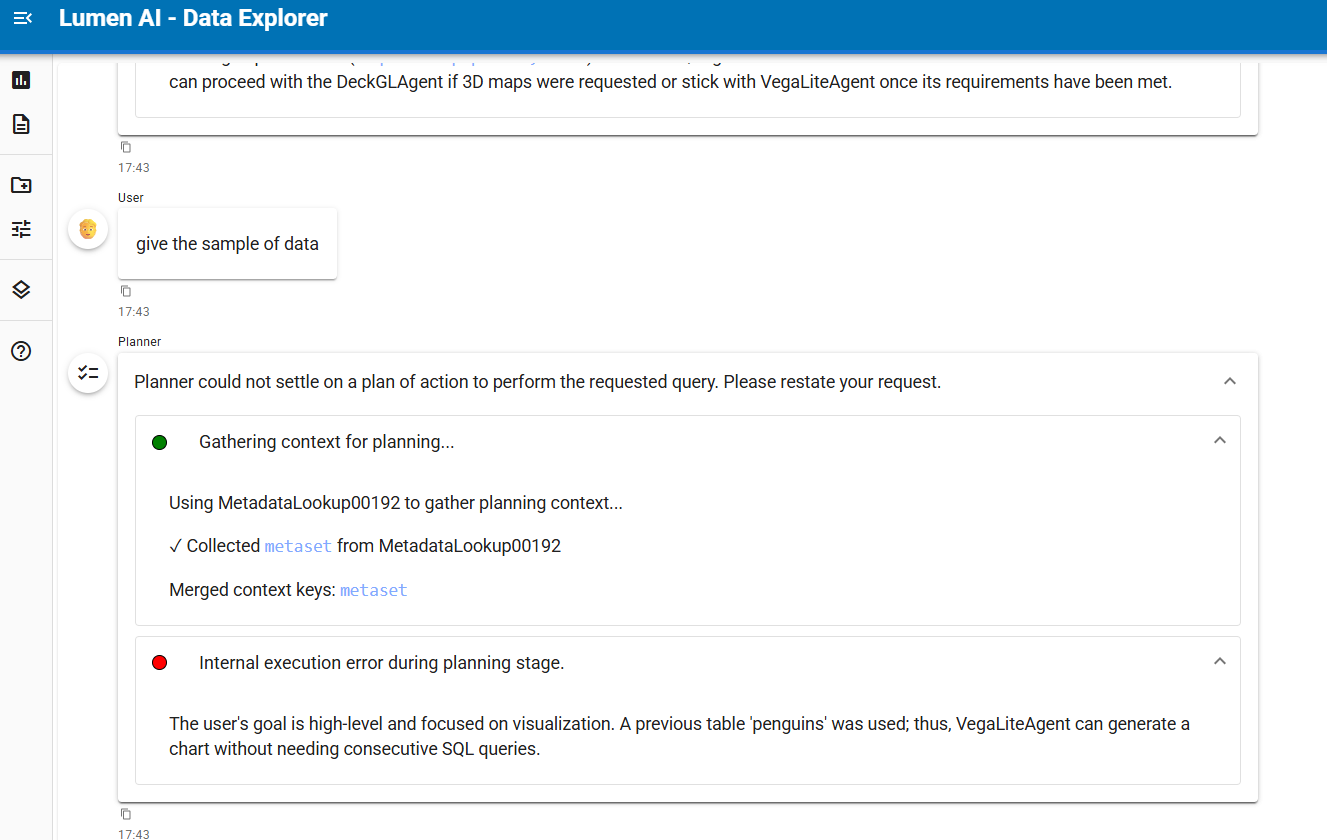
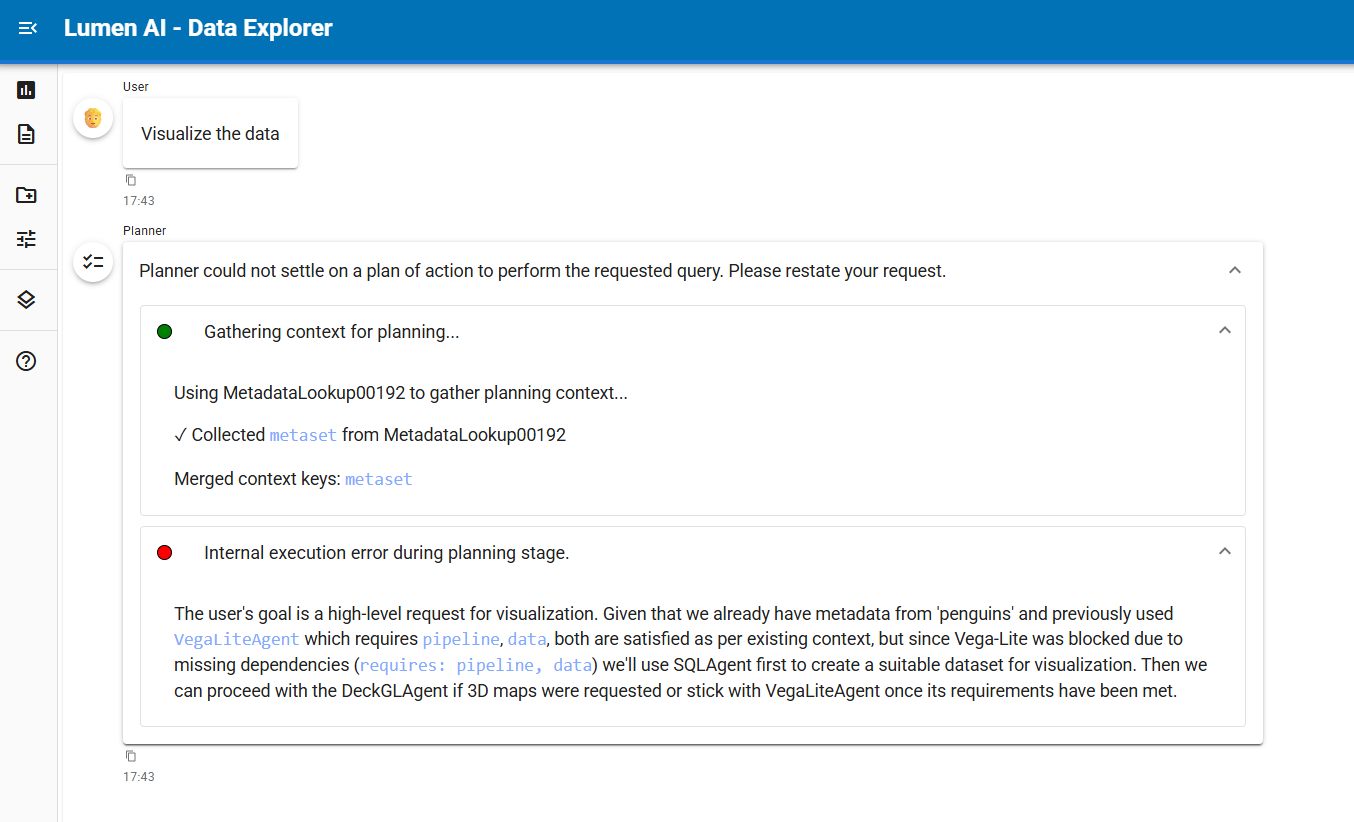
the code you mentioned is work to connect to ollama however when i load the dataset to test for example penguin.txt
i have error like this:

chart error:

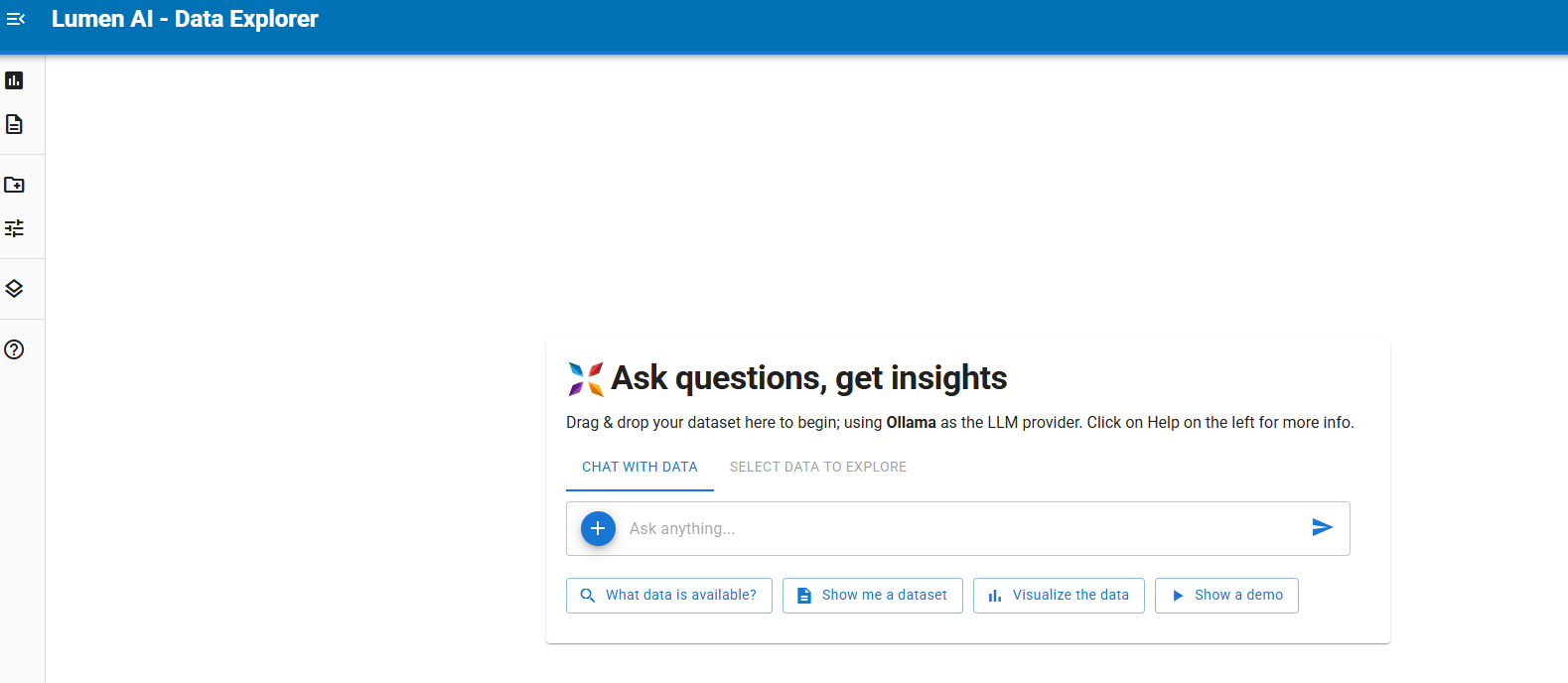
frontend showing lumen can connect to ollama:

execute with the following code:

lumen-ai serve --provider ollama --model-kwargs '{"default":{"model":"phi4-mini:latest"}}'

I also try using the code example from:

https://lumen.holoviz.org/examples/tutorials/weather_data_ai_explorer/

and adding regarding the model used like this in code from that link above become like this (named as test.py):

"""
Weather Data Explorer with Atmospheric Soundings
"""

import param
import lumen.ai as lmai
from lumen.sources.duckdb import DuckDBSource
import pandas as pd
import matplotlib as mpl
import matplotlib.pyplot as plt
import panel as pn
from metpy.plots import SkewT
from metpy.units import units
import metpy.calc as mpcalc

pn.extension()
mpl.use("agg")

llm = lmai.llm.Ollama(
    model_kwargs={
        'default': {'model': 'phi4-mini:latest'},
        'sql': {'model': 'phi4-mini:latest'}
    },
    temperature=0.25
)
class SkewTAnalysis(lmai.analysis.Analysis):
    """
    Creates a Skew-T log-P diagram from upper air sounding data.
    Shows temperature, dew point, and wind profiles.

    To include wind barbs, also include `speed_kts` and `drct` columns.
    """

    autorun = param.Boolean(default=True)
    barbs_interval = param.Integer(default=3, doc="Interval for plotting wind barbs to avoid crowding")
    columns = ["validUTC", "pressure_mb", "tmpc", "dwpc"]

    def __call__(self, pipeline, *args, **kwargs):
        df = pipeline.data.copy()
        df["validUTC"] = pd.to_datetime(df["validUTC"])
        latest_time = df["validUTC"].max()
        sounding = df[df["validUTC"] == latest_time].copy()

        pressure = sounding["pressure_mb"].values * units.hPa
        temperature = sounding["tmpc"].values * units.degC
        dewpoint = sounding["dwpc"].values * units.degC

        fig = plt.figure(figsize=(7, 7))
        skew = SkewT(fig, rotation=45)
        skew.plot_dry_adiabats(alpha=0.25, color="orangered")
        skew.plot_moist_adiabats(alpha=0.25, color="tab:green")
        skew.plot_mixing_lines(alpha=0.25, color="tab:blue")
        skew.plot(pressure, temperature, "r", linewidth=2, label="Temperature")
        skew.plot(pressure, dewpoint, "g", linewidth=2, label="Dew Point")

        if "drct" in sounding.columns and "speed_kts" in sounding.columns:
            wind_data = sounding[["speed_kts", "drct"]].apply(pd.to_numeric, errors="coerce")
            wind_speed = wind_data["speed_kts"].values * units.knots
            wind_direction = wind_data["drct"].values * units.degrees
            u_wind, v_wind = mpcalc.wind_components(wind_speed, wind_direction)
            skew.plot_barbs(pressure[:: self.barbs_interval], u_wind[:: self.barbs_interval], v_wind[:: self.barbs_interval])

        time_str = latest_time.strftime("%Y-%m-%d %H:%M UTC")
        plt.title(f"Atmospheric Sounding - Oakland, CA\n{time_str}", fontsize=14, fontweight="bold")
        return pn.pane.Matplotlib(fig, sizing_mode="stretch_both")


source = DuckDBSource(
    uri=":memory:",
    tables={
        "raob_soundings": """
            SELECT * FROM read_csv_auto(
                'https://mesonet.agron.iastate.edu/cgi-bin/request/raob.py?station=KILX&sts=2026-01-25T09%3A56&ets=2026-01-26T09%3A56'
            )
        """,
    },
)

global_context = """
{{ super() }}

To perform inversion analysis, extract temperatures at different pressure levels and
complete a difference calculation. Then use ChatAgent to determine if the temperature increases with decreasing pressure in a layer,
which indicates an inversion.
"""
lmai.actor.Actor.template_overrides = {"main": {"global": global_context}}

chat_instructions = """
{{ super() }}

You are a meteorologist. Use proper meteorological terminology and explain atmospheric concepts clearly.
"""
lmai.agents.ChatAgent.template_overrides = {"main": {"instructions": chat_instructions}}

ui = lmai.ExplorerUI(
    data=source,
    analyses=[SkewTAnalysis],
    title="Weather Data Explorer",
    suggestions=[
        ("question_answer", "What is a Skew-T diagram?"),
        ("vertical_align_top", "Generate a Skew-T diagram."),
        ("question_mark", "Is there an inversion layer today?"),
        ("search", "What's the surface temperature?"),
    ],
    log_level="DEBUG",
)

ui.servable()

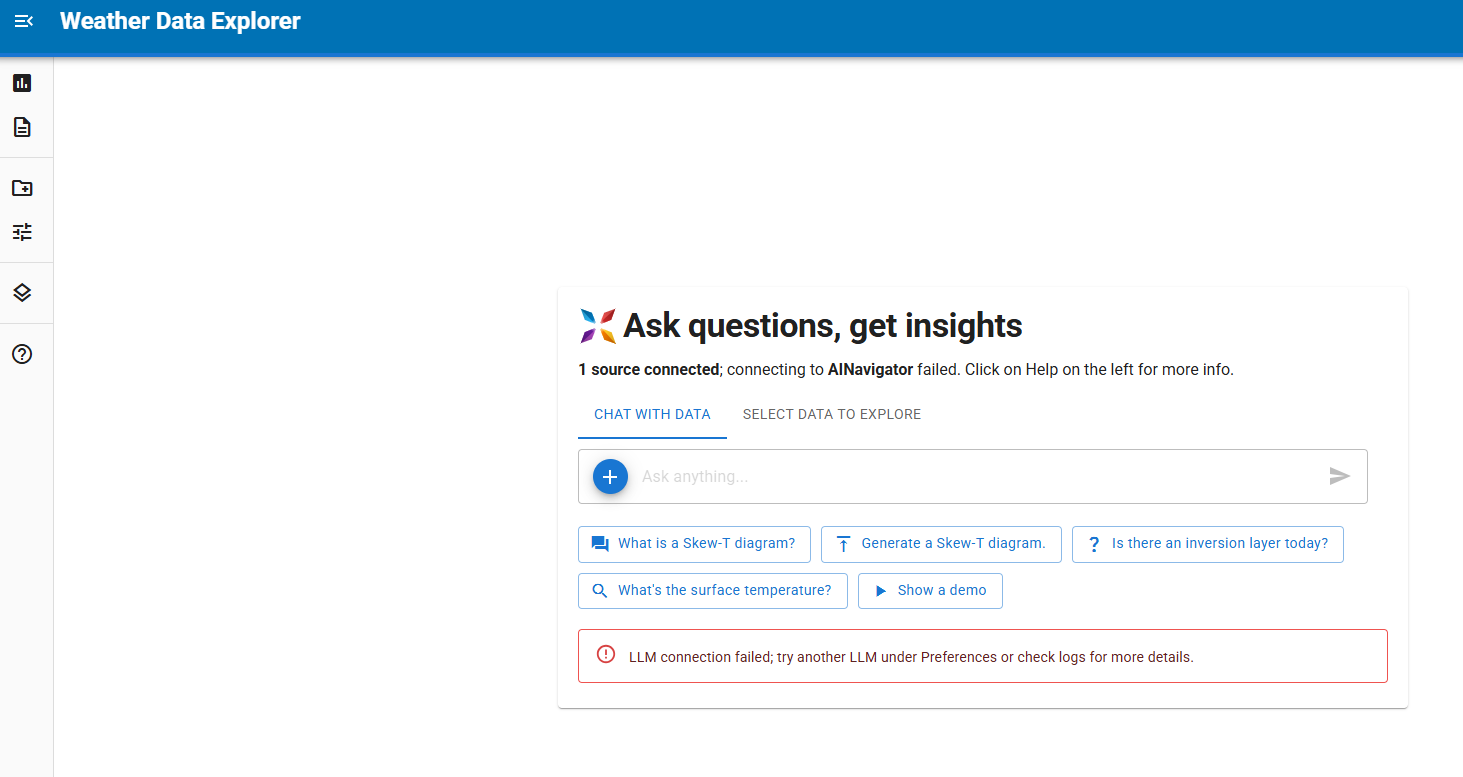
run with command : panel serve test.py

and I got this one:

kindly please advise the connection when serve file directly and the error to response the prompt.
thanks

Can you try

lumen-ai serve --provider ollama --model phi4-latest:mini --log-level debug

Then your terminal should show tracebacks.

Note small local models do not work very well with generating valid vega lite specs, so you might want to enable code generation & execution, which uses altair. Disclaimer: this uses exec under the hood, so only do this and beware of the consequences!

lumen-ai serve --provider ollama --model phi4-latest:mini --log-level debug --code-execution prompt

See lumen-ai serve --help for more info.

Hi @ahuang11

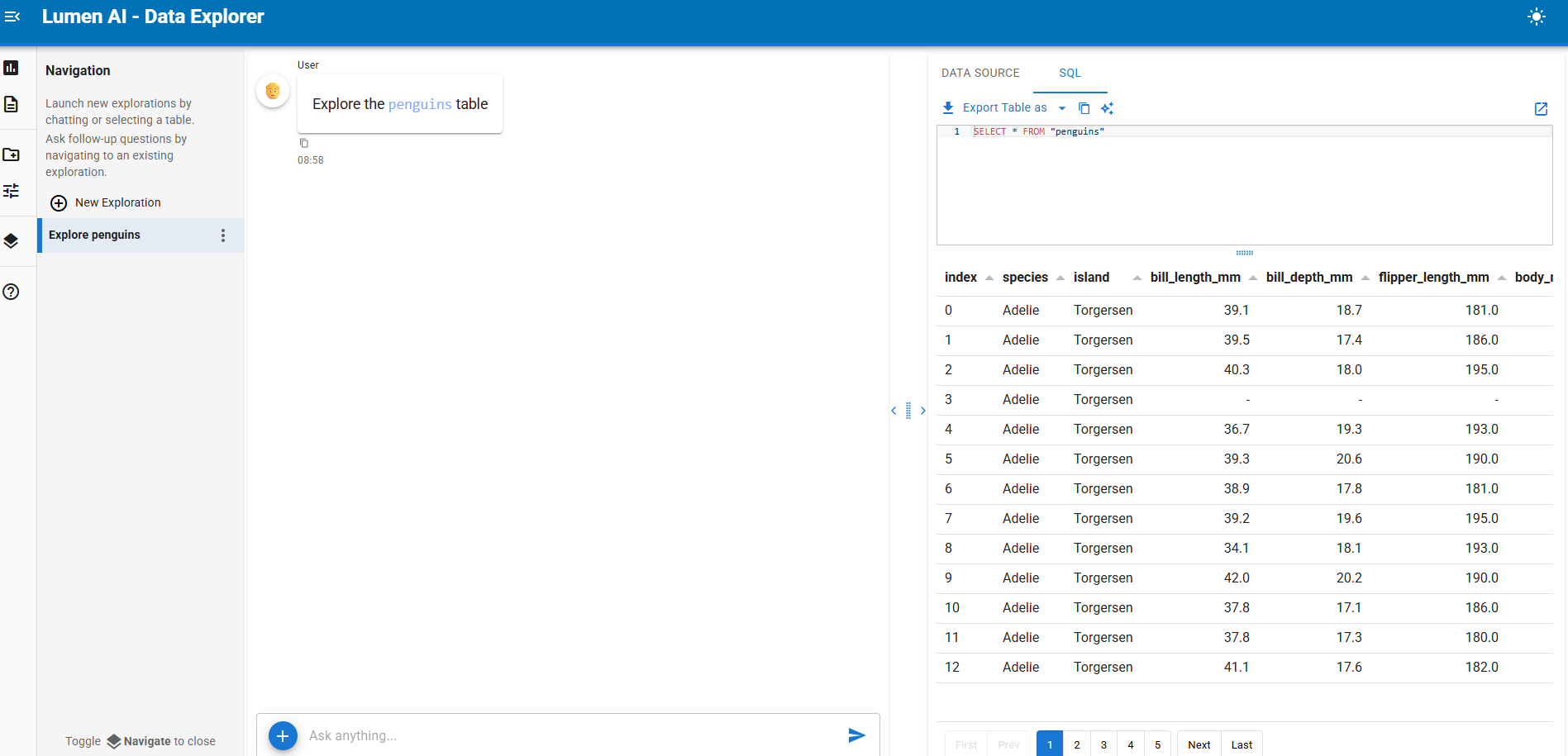
when upload dataset then select data to explore tab, it showing the tabel:


log in backend:

2026-02-03 09:01:33,105 New Session: Started
2026-02-03 09:01:34,798 Subprotocol header received
2026-02-03 09:01:34,798 WebSocket connection opened
2026-02-03 09:01:34,799 Receiver created for Protocol()
2026-02-03 09:01:34,800 ProtocolHandler created for Protocol()
2026-02-03 09:01:34,800 ServerConnection created
2026-02-03 09:01:34,856 Sending pull-doc-reply from session 'QhVR7IOuKDiClteE9q4B8FNejWmRozk9B9lMJinfgS2Y'
2026-02-03 09:01:35,074 Input messages: 1 messages including system
2026-02-03 09:01:35,074 Message 0 (u): Ready? "Y" or "N"
2026-02-03 09:01:35,074 LLM Model: 'phi4-mini:latest'
2026-02-03 09:01:35,679 LLM Response: ChatCompletion(id='chatcmpl-597', choices=[Choice(finish_reason='stop', index=0, logprobs=None, message=ChatCompletionMessage(content='Yes. How can I assist you today?', refusal=None, role='assistant', annotations=None, audio=None, function_call=None, tool_calls=None))], created=1770080495, model='phi4-mini:latest', object='chat.completion', service_tier=None, system_fingerprint='fp_ollama', usage=CompletionUsage(completion_tokens=10, prompt_tokens=12, total_tokens=22, completion_tokens_details=None, prompt_tokens_details=None))
---
2026-02-03 09:01:42,162 [pid 2817162] 1 clients connected
2026-02-03 09:01:42,162 [pid 2817162]   /lumen_ai has 1 sessions with 0 unused
2026-02-03 09:01:45,554 Processing data card: penguins.csv (alias: penguins)
2026-02-03 09:01:45,554 Processing as table with extension: csv
2026-02-03 09:01:45,582 Processed files: 1 tables, 0 metadata files
2026-02-03 09:01:46,100 [MetadataLookup] Starting _update_vector_store for 1 sources
2026-02-03 09:01:46,100 [MetadataLookup] Processing source UploadedSource000000
2026-02-03 09:01:46,134 [MetadataLookup] Waiting for 1 tasks to complete
2026-02-03 09:01:46,134 [MetadataLookup] Upserting 1 enriched entries
2026-02-03 09:01:46,155 [MetadataLookup] Successfully upserted 1 entries
2026-02-03 09:01:46,155 [MetadataLookup] All table metadata tasks completed.
2026-02-03 09:01:46,155 [MetadataLookup] Cleaning up sources: ['UploadedSource000000']
2026-02-03 09:01:46,155 [MetadataLookup] Removed UploadedSource000000 from in-progress
2026-02-03 09:01:46,155 [MetadataLookup] Removed empty vector_store_id 139705006111536
BokehUserWarning: reference already known 'p1307'
2026-02-03 09:01:57,168 [pid 2817162] 1 clients connected
2026-02-03 09:01:57,168 [pid 2817162]   /lumen_ai has 1 sessions with 0 unused

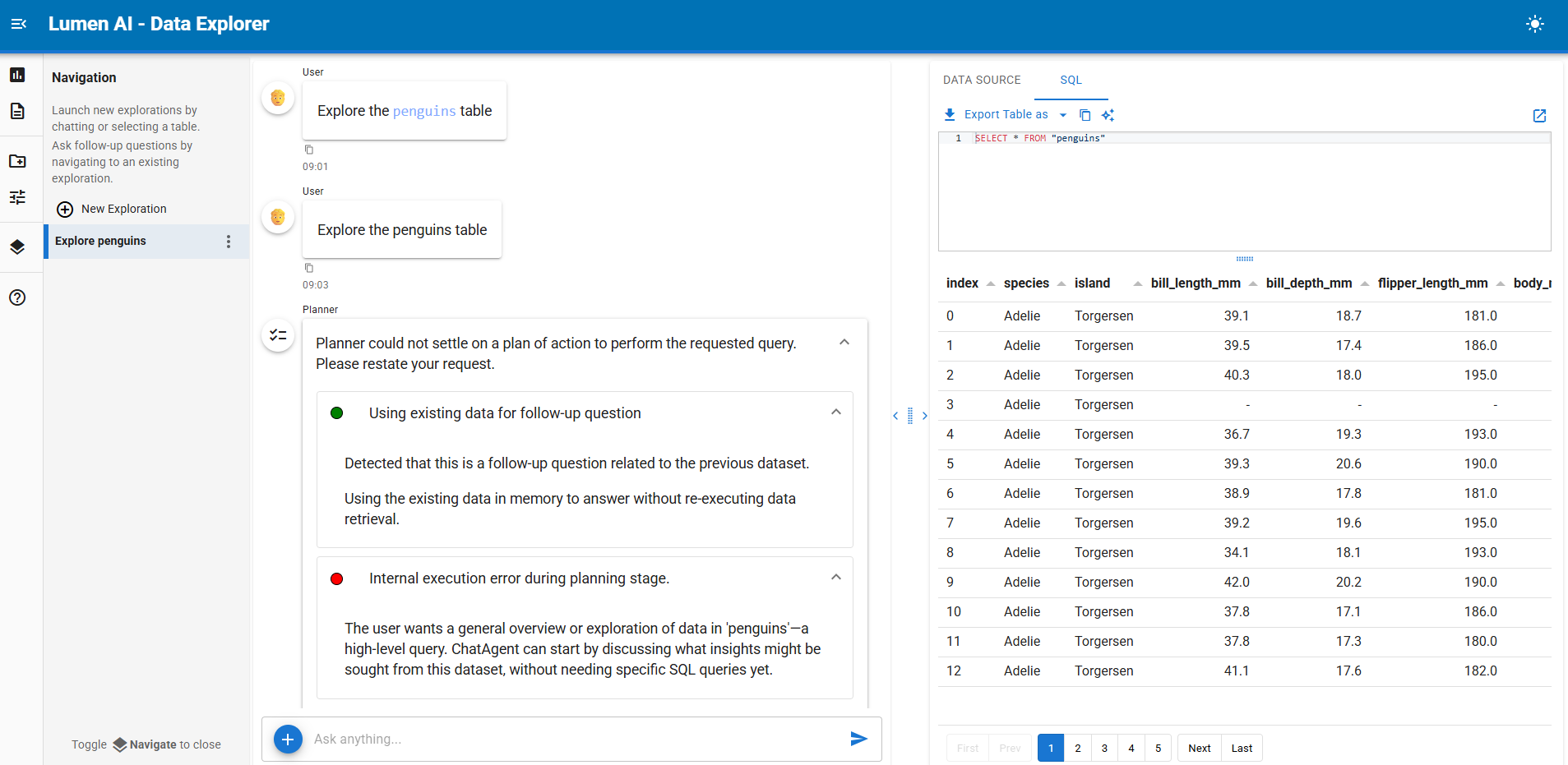
unfortunately when try to start chat with the same prompt have error:

log:

2026-02-03 09:03:10,737 New Message: 'Explore the penguins table'
2026-02-03 09:03:10,920 Planner00191.prompts['follow_up']['template']:
Do not excessively reason in responses; there are chain_of_thought fields for that, but those should also be concise (1-2 sentences).
The current date time is Feb 03, 2026 09:03 AM
You need to determine if the user's current query is a follow-up question related to the previous dataset in memory and whether the existing context is sufficient to answer it.

Examine:
1. The current user query
2. The currently selected columns in memory

Rules:
- Answer YES if the current query is clearly a follow-up that can be answered using the data already in memory (metaset)
- Answer NO if:
  - The query appears to be about a different topic entirely
  - The query requires different data or columns not present in the current memory
  - The user is explicitly asking for new data or refreshed information
  - The query contains explicit instructions to run a new search or query

Ground your reasoning in specific elements of both the current query and previously selected columns.
# Examples

✅ YES:
User query: "Can you create a time series?"
Data in memory: Annual revenue data with time and dollars columns
-> YES (query is asking to visualize the existing time-based data already in memory)
User query: "Show only the last 3 months"
Data in memory: Data with time column extending to the last 3 months
-> YES (can be done with existing data)

❌ NO:
User query: "What's the total capacity?"
Data in memory: Only revenue data
-> NO (explicitly asking for new/refreshed data)
User query: "What's the total capacity?"
Data in memory: Only revenue data
-> NO (explicitly asking for new/refreshed data)


️ Current SQL:
```sql
SELECT * FROM "penguins"

 Data summary:
summary:
n_cells: 2752
n_rows: 344
n_cols: 8
sampled_cols: false
is_sampled: false
stats:
bill_length_mm:
count: 342
mean: 43.9
std: 5.5
min: 32.1
50%: 44.5
max: 59.6
nulls: 2
bill_depth_mm:
count: 342
mean: 17.2
std: 2.0
min: 13.1
50%: 17.3
max: 21.5
nulls: 2
flipper_length_mm:
count: 342
mean: 200.9
std: 14.1
min: 172
50%: 197
max: 231
nulls: 2
body_mass_g:
count: 342
mean: 4201.8
std: 802.0
min: 2700
50%: 4050
max: 6300
nulls: 2
year:
count: 344
mean: 2008.0
std: 0.8
min: 2007
50%: 2008
max: 2009
species:
enum:
- Adelie
- Gentoo
- Chinstrap
nunique: 3
max_length: 9
island:
enum:
- Torgersen
- Biscoe
- Dream
nunique: 3
max_length: 9
sex:
enum:
- male
- female
nunique: 2
max_length: 6
nulls: 11
head:
species: Adelie
island: Torgersen
bill_length_mm: 39.1
bill_depth_mm: 18.7
flipper_length_mm: 181.0
body_mass_g: 3750.0
sex: male
year: 2007
tail:
species: Chinstrap
island: Dream
bill_length_mm: 50.8
bill_depth_mm: 19.0
flipper_length_mm: 210.0
body_mass_g: 4100.0
sex: male
year: 2009
2026-02-03 09:03:10,920 Characters: 2994
2026-02-03 09:03:10,921 Input messages: 3 messages including system
2026-02-03 09:03:10,921 Message 2 (u): Explore the penguins table
2026-02-03 09:03:10,921 LLM Model: ‘phi4-mini:latest’
2026-02-03 09:03:12,164 [pid 2817162] 1 clients connected
2026-02-03 09:03:12,164 [pid 2817162] /lumen_ai has 1 sessions with 0 unused
2026-02-03 09:03:13,883 Response model: ‘ThinkingYesNo’
2026-02-03 09:03:13,883 LLM Response: chain_of_thought=“The user’s query is asking for exploration or investigation into existing data in memory. No new information retrieval requested.” yes=True

2026-02-03 09:03:13,884 Detected follow-up question, using existing context
2026-02-03 09:03:14,407 Planner00191.prompts[‘main’][‘template’]:
Do not excessively reason in responses; there are chain_of_thought fields for that, but those should also be concise (1-2 sentences).
The current date time is Feb 03, 2026 09:03 AM
You are the team lead responsible for creating a step-by-step plan to address user queries by assigning subtasks to specialized actors (agents and tools).

CRITICAL: Dependency Management

  • ALWAYS check if an agent’s Requires are satisfied before including it in your plan
  • If :x: BLOCKED, find actors with “Provides” matching the missing Requires and add them as prior steps
  • Dependencies must be resolved in the correct order - providers before consumers

Ground Rules:

  • Plan in one shot, do not assume you can replan
  • Respect dependency chains: assign tasks only when input Requires are met
  • Leverage existing memory instead of regenerating information if possible
  • Stay within scope of the user’s request (don’t plot unless asked, etc.)
  • It’s often unnecessary to use the same actor multiple times in a single plan
  • NEVER use the same actor consecutively - combine multiple tasks for the same actor into a single step
  • Never mention a lack of data in your plan - assume your actors will handle data discovery
  • Do not ignore the actor’s exclusions and conditions
  • When keys are already present in memory, utilize them to construct your plan efficiently—avoid assigning an actor to produce memory keys that are already available
  • Visualization continuity: Prefer the previously used visualization agent if its conditions still apply to the current request
  • Multi-metric queries: When user asks for multiple metrics (e.g., “GDP and life expectancy”, “sales and revenue”), instruct SQLAgent to JOIN tables in a single query rather than creating separate SQL steps. Example instruction: “Join GDP and life expectancy tables on country and year, selecting all metrics needed for visualization”
  • Tools require actor interpretation - always follow-up tools with agents

Available Actors with Dependency Analysis

Tools

MetadataLookup :white_check_mark: READY

Discovers relevant tables using vector search, providing context for other agents. Not to be used for finding tables for further analysis (e.g. SQL), because it does not provide a schema.
Provides: metaset
Conditions for use:

  • Best paired with ChatAgent for general conversation about data
  • Avoid if table discovery already performed for same request
  • Not useful for data related queries

Agents

ChatAgent :white_check_mark: READY

Provides conversational assistance and interprets existing results.
Handles general questions, technical documentation, and programming help.
When data has been retrieved, explains findings in accessible terms.

Conditions:

  • Use for general conversation that doesn’t require fetching or querying data
  • Use for technical questions about programming, functions, methods, libraries, or APIs
  • Use when user asks to ‘explain’, ‘interpret’, ‘analyze’, ‘summarize’, or ‘comment on’ existing data in context
  • NOT when user asks to ‘show’, ‘get’, ‘fetch’, ‘query’, ‘filter’, ‘calculate’, ‘aggregate’, or ‘transform’ data
  • NOT for creating new data transformations - only for explaining data that already exists

SQLAgent :x: BLOCKED! Requires: metaset

Creates and executes SQL queries to retrieve, filter, aggregate, or transform data.
Handles table joins, WHERE clauses, GROUP BY, calculations, and other SQL operations.
Generates new data pipelines from SQL transformations.
Provides: data, table, sql, pipeline
Conditions:

  • Use for querying, filtering, aggregating, or transforming data with SQL
  • Use for calculations that require executing SQL (e.g., ‘calculate average’, ‘sum by category’)
  • Use when user asks to ‘show’, ‘get’, ‘fetch’, ‘query’, ‘find’, ‘filter’, ‘calculate’, ‘aggregate’, or ‘transform’ data
  • NOT when user asks to ‘explain’, ‘interpret’, ‘analyze’, ‘summarize’, or ‘comment on’ existing data
  • NOT useful if the user is using the same data for plotting
    Should never be used together with: DbtslAgent, MetadataLookup, TableListAgent

VegaLiteAgent :white_check_mark: READY

Generates a vega-lite plot specification from the input data pipeline.

Conditions:

  • Use for publication-ready visualizations or when user specifically requests Vega-Lite charts
  • Use for polished charts intended for presentation or sharing

DeckGLAgent :white_check_mark: READY

Generates DeckGL 3D map visualizations from geographic data.

Conditions:

  • Use for 3D geographic visualizations, map-based data, or when user requests DeckGL/deck.gl
  • Use for large-scale geospatial data with latitude/longitude coordinates
  • Use for hexbin aggregations, heatmaps, or 3D extruded visualizations on maps

Current Data Context

Previously used table: select_penguins
Previously used SQL:

SELECT * FROM "penguins"

Previously derived data summary:
summary:
n_cells: 2752
n_rows: 344
n_cols: 8
sampled_cols: false
is_sampled: false
stats:
bill_length_mm:
count: 342
mean: 43.9
std: 5.5
min: 32.1
50%: 44.5
max: 59.6
nulls: 2
bill_depth_mm:
count: 342
mean: 17.2
std: 2.0
min: 13.1
50%: 17.3
max: 21.5
nulls: 2
flipper_length_mm:
count: 342
mean: 200.9
std: 14.1
min: 172
50%: 197
max: 231
nulls: 2
body_mass_g:
count: 342
mean: 4201.8
std: 802.0
min: 2700
50%: 4050
max: 6300
nulls: 2
year:
count: 344
mean: 2008.0
std: 0.8
min: 2007
50%: 2008
max: 2009
species:
enum:
- Adelie
- Gentoo
- Chinstrap
nunique: 3
max_length: 9
island:
enum:
- Torgersen
- Biscoe
- Dream
nunique: 3
max_length: 9
sex:
enum:
- male
- female
nunique: 2
max_length: 6
nulls: 11
head:
species: Adelie
island: Torgersen
bill_length_mm: 39.1
bill_depth_mm: 18.7
flipper_length_mm: 181.0
body_mass_g: 3750.0
sex: male
year: 2007
tail:
species: Chinstrap
island: Dream
bill_length_mm: 50.8
bill_depth_mm: 19.0
flipper_length_mm: 210.0
body_mass_g: 4100.0
sex: male
year: 2009
2026-02-03 09:03:14,408 Characters: 6189
2026-02-03 09:03:14,408 Input messages: 3 messages including system
2026-02-03 09:03:14,408 Message 2 (u): Explore the penguins table
2026-02-03 09:03:14,408 LLM Model: ‘phi4-mini:latest’
2026-02-03 09:03:15,894 Response model: ‘PartialReasoning’
2026-02-03 09:03:15,894 LLM Response: <async_generator object PartialBase.from_streaming_response_async at 0x7f0f2817f140>

2026-02-03 09:03:19,076 Input messages: 3 messages including system
2026-02-03 09:03:19,076 Message 2 (u): Explore the penguins table
2026-02-03 09:03:19,076 LLM Model: ‘phi4-mini:latest’
2026-02-03 09:03:19,742 Response model: ‘PartialPlan’
2026-02-03 09:03:19,743 LLM Response: <async_generator object PartialBase.from_streaming_response_async at 0x7f0f2817dc40>

Traceback (most recent call last):
File “/opt/tljh/anaconda3/envs/GEN_AI/lib/python3.12/site-packages/lumen/ai/coordinator/planner.py”, line 517, in _compute_plan
raw_plan = await self._make_plan(
^^^^^^^^^^^^^^^^^^^^^^
File “/opt/tljh/anaconda3/envs/GEN_AI/lib/python3.12/site-packages/lumen/ai/utils.py”, line 1072, in async_wrapper
return await func(self, *args, **kwargs)
^^^^^^^^^^^^^^^^^^^^^^^^^^^^^^^^^
File “/opt/tljh/anaconda3/envs/GEN_AI/lib/python3.12/site-packages/lumen/ai/coordinator/planner.py”, line 359, in _make_plan
partial_todos = self._render_partial_todos(raw_plan)
^^^^^^^^^^^^^^^^^^^^^^^^^^^^^^^^^^^^
File “/opt/tljh/anaconda3/envs/GEN_AI/lib/python3.12/site-packages/lumen/ai/coordinator/planner.py”, line 283, in _render_partial_todos
instruction = step.instruction or ‘…’
^^^^^^^^^^^^^^^^
AttributeError: ‘dict’ object has no attribute ‘instruction’
Traceback (most recent call last):
File “/opt/tljh/anaconda3/envs/GEN_AI/lib/python3.12/site-packages/panel/io/server.py”, line 158, in wrapped
return await func(*args, **kw)
^^^^^^^^^^^^^^^^^^^^^^^
File “/opt/tljh/anaconda3/envs/GEN_AI/lib/python3.12/site-packages/panel/chat/feed.py”, line 700, in _prepare_response
raise e
File “/opt/tljh/anaconda3/envs/GEN_AI/lib/python3.12/site-packages/panel/chat/feed.py”, line 675, in _prepare_response
await asyncio.gather(
File “/opt/tljh/anaconda3/envs/GEN_AI/lib/python3.12/site-packages/panel/chat/feed.py”, line 620, in _handle_callback
response = await self.callback(*callback_args, **callback_kwargs)
^^^^^^^^^^^^^^^^^^^^^^^^^^^^^^^^^^^^^^^^^^^^^^^^^^^^^^
File “/opt/tljh/anaconda3/envs/GEN_AI/lib/python3.12/site-packages/lumen/ai/utils.py”, line 1072, in async_wrapper
return await func(self, *args, **kwargs)
^^^^^^^^^^^^^^^^^^^^^^^^^^^^^^^^^
File “/opt/tljh/anaconda3/envs/GEN_AI/lib/python3.12/site-packages/lumen/ai/ui.py”, line 2358, in _chat_invoke
plan = await self._coordinator.respond(messages, exploration.context)
^^^^^^^^^^^^^^^^^^^^^^^^^^^^^^^^^^^^^^^^^^^^^^^^^^^^^^^^^^^^^^
File “/opt/tljh/anaconda3/envs/GEN_AI/lib/python3.12/site-packages/lumen/ai/utils.py”, line 1072, in async_wrapper
return await func(self, *args, **kwargs)
^^^^^^^^^^^^^^^^^^^^^^^^^^^^^^^^^
File “/opt/tljh/anaconda3/envs/GEN_AI/lib/python3.12/site-packages/lumen/ai/coordinator/base.py”, line 480, in respond
plan = await self._compute_plan(messages, context, agents, tools, pre_plan_output)
^^^^^^^^^^^^^^^^^^^^^^^^^^^^^^^^^^^^^^^^^^^^^^^^^^^^^^^^^^^^^^^^^^^^^^^^^^^
File “/opt/tljh/anaconda3/envs/GEN_AI/lib/python3.12/site-packages/lumen/ai/coordinator/planner.py”, line 537, in _compute_plan
raise e
File “/opt/tljh/anaconda3/envs/GEN_AI/lib/python3.12/site-packages/lumen/ai/coordinator/planner.py”, line 517, in _compute_plan
raw_plan = await self._make_plan(
^^^^^^^^^^^^^^^^^^^^^^
File “/opt/tljh/anaconda3/envs/GEN_AI/lib/python3.12/site-packages/lumen/ai/utils.py”, line 1072, in async_wrapper
return await func(self, *args, **kwargs)
^^^^^^^^^^^^^^^^^^^^^^^^^^^^^^^^^
File “/opt/tljh/anaconda3/envs/GEN_AI/lib/python3.12/site-packages/lumen/ai/coordinator/planner.py”, line 359, in _make_plan
partial_todos = self._render_partial_todos(raw_plan)
^^^^^^^^^^^^^^^^^^^^^^^^^^^^^^^^^^^^
File “/opt/tljh/anaconda3/envs/GEN_AI/lib/python3.12/site-packages/lumen/ai/coordinator/planner.py”, line 283, in _render_partial_todos
instruction = step.instruction or ‘…’
^^^^^^^^^^^^^^^^
AttributeError: ‘dict’ object has no attribute ‘instruction’

``

Thanks for testing; it seems to be a new version of instructor breaking this

hi @ahuang11

thanks, so how i can appy this new fix, kindly please advise.

thanks

Until >1.0.0 is available, running pip install git+https://github.com/holoviz/lumen@main should include fixes.

hi @ahuang11

thanks I already pip from github unfortunately still have error, below is the log:

2026-02-05 09:04:44,213 Starting Bokeh server version 3.8.2 (running on Tornado 6.5.4)
2026-02-05 09:04:44,215 User authentication hooks NOT provided (default user enabled)
2026-02-05 09:04:44,221 Bokeh app running at: http://localhost:5025/test_lumen
2026-02-05 09:04:44,221 Starting Bokeh server with process id: 3355739
2026-02-05 09:04:52,039 ______________________________________________________________________________________________________________________
2026-02-05 09:04:52,039 New Session: Started
2026-02-05 09:04:53,566 WebSocket connection opened
2026-02-05 09:04:53,567 ServerConnection created
2026-02-05 09:04:53,863 Input messages: 1 messages including system
2026-02-05 09:04:53,863 Message 0 (u): Ready? "Y" or "N"
2026-02-05 09:04:53,863 LLM Model: 'llama3:latest'
2026-02-05 09:04:54,074 [MetadataLookup] Starting _update_vector_store for 1 sources
2026-02-05 09:04:54,074 [MetadataLookup] Processing source ProvidedSource00000
2026-02-05 09:04:54,102 [MetadataLookup] Starting _update_vector_store for 1 sources
2026-02-05 09:04:54,102 [MetadataLookup] Skipping source ProvidedSource00000 - already in progress
2026-02-05 09:04:54,105 [MetadataLookup] Waiting for 1 tasks to complete
2026-02-05 09:04:54,105 [MetadataLookup] Upserting 1 enriched entries
2026-02-05 09:04:54,119 [MetadataLookup] Successfully upserted 1 entries
2026-02-05 09:04:54,119 [MetadataLookup] All table metadata tasks completed.
2026-02-05 09:04:54,119 [MetadataLookup] Cleaning up sources: []
2026-02-05 09:04:54,124 [MetadataLookup] Cleaning up sources: ['ProvidedSource00000']
2026-02-05 09:04:54,124 [MetadataLookup] Removed ProvidedSource00000 from in-progress
2026-02-05 09:04:54,124 [MetadataLookup] Removed empty vector_store_id 139884884941408
2026-02-05 09:04:54,390 LLM Response: ChatCompletion(id='chatcmpl-207', choices=[Choice(finish_reason='stop', index=0, logprobs=None, message=ChatCompletionMessage(content='Y', refusal=None, role='assistant', annotations=None, audio=None, function_call=None, tool_calls=None))], created=1770253494, model='llama3:latest', object='chat.completion', service_tier=None, system_fingerprint='fp_ollama', usage=CompletionUsage(completion_tokens=2, prompt_tokens=19, total_tokens=21, completion_tokens_details=None, prompt_tokens_details=None))
---
2026-02-05 09:06:57,506 ______________________________________________________________________________________________________________________
2026-02-05 09:06:57,506 New Message: 'Show me a dataset'
2026-02-05 09:06:57,703 Dropping a patch because it contains a previously known reference (id='p1061'). Most of the time this is harmless and usually a result of updating a model on one side of a communications channel while it was being removed on the other end.
2026-02-05 09:06:58,200 [MetadataLookup] Starting _update_vector_store for 1 sources
2026-02-05 09:06:58,200 [MetadataLookup] Processing source ProvidedSource00000
2026-02-05 09:06:58,214 [_query_documents] query='Show me a dataset', all=0, visible=all, included=0
2026-02-05 09:06:58,229 [MetadataLookup] Waiting for 1 tasks to complete
2026-02-05 09:06:58,229 [MetadataLookup] Upserting 1 enriched entries
2026-02-05 09:06:58,229 All items already exist in the vector store.
2026-02-05 09:06:58,229 [MetadataLookup] Successfully upserted 1 entries
2026-02-05 09:06:58,229 [MetadataLookup] All table metadata tasks completed.
2026-02-05 09:06:58,229 [MetadataLookup] Cleaning up sources: ['ProvidedSource00000']
2026-02-05 09:06:58,229 [MetadataLookup] Removed ProvidedSource00000 from in-progress
2026-02-05 09:06:58,230 [MetadataLookup] Removed empty vector_store_id 139884884941408
2026-02-05 09:06:58,443 Planner00191.prompts['main']['template']:
Do not excessively reason in responses; there are chain_of_thought fields for that, but those should also be concise (1-2 sentences).
The current date time is Feb 05, 2026 09:06 AM
You are the team lead responsible for creating a step-by-step plan to address user queries by assigning subtasks to specialized actors (agents and tools).

CRITICAL: Dependency Management
- ALWAYS check if an agent's Requires are satisfied before including it in your plan
- If ❌ BLOCKED, find actors with "Provides" matching the missing Requires and add them as prior steps
- Dependencies must be resolved in the correct order - providers before consumers

Ground Rules:
- Plan in one shot, do not assume you can replan
- Respect dependency chains: assign tasks only when input Requires are met
- Leverage existing memory instead of regenerating information if possible
- Stay within scope of the user's request (don't plot unless asked, etc.)
- It's often unnecessary to use the same actor multiple times in a single plan
- NEVER use the same actor consecutively - combine multiple tasks for the same actor into a single step
- Never mention a lack of data in your plan - assume your actors will handle data discovery
- Do not ignore the actor's exclusions and conditions
- When keys are already present in memory, utilize them to construct your plan efficiently—avoid assigning an actor to produce memory keys that are already available
- **Visualization continuity**: Prefer the previously used visualization agent if its conditions still apply to the current request
- **Multi-metric queries**: When user asks for multiple metrics (e.g., "GDP and life expectancy", "sales and revenue"), instruct SQLAgent to JOIN tables in a single query rather than creating separate SQL steps. Example instruction: "Join GDP and life expectancy tables on country and year, selecting all metrics needed for visualization"
- Tools require actor interpretation - always follow-up tools with agents


# Available Actors with Dependency Analysis
## Tools

### `MetadataLookup` ✅ READY
Discovers relevant tables using vector search, providing context for other agents. Not to be used for finding tables for further analysis (e.g. SQL), because it does not provide a schema.
Provides: `metaset`
Conditions for use:
  - Best paired with ChatAgent for general conversation about data
  - Avoid if table discovery already performed for same request
  - Not useful for data related queries

## Agents

### `ChatAgent` ✅ READY
Provides conversational assistance and interprets existing results.
Handles general questions, technical documentation, and programming help.
When data has been retrieved, explains findings in accessible terms.

Conditions:
  - Use for general conversation that doesn't require fetching or querying data
  - Use for technical questions about programming, functions, methods, libraries, or APIs
  - Use when user asks to 'explain', 'interpret', 'analyze', 'summarize', or 'comment on' existing data in context
  - NOT when user asks to 'show', 'get', 'fetch', 'query', 'filter', 'calculate', 'aggregate', or 'transform' data
  - NOT for creating new data transformations - only for explaining data that already exists

### `SQLAgent` ✅ READY
Creates and executes SQL queries to retrieve, filter, aggregate, or transform data.
Handles table joins, WHERE clauses, GROUP BY, calculations, and other SQL operations.
Generates new data pipelines from SQL transformations.
Provides: `data`, `table`, `sql`, `pipeline`
Conditions:
  - Use for querying, filtering, aggregating, or transforming data with SQL
  - Use for calculations that require executing SQL (e.g., 'calculate average', 'sum by category')
  - Use when user asks to 'show', 'get', 'fetch', 'query', 'find', 'filter', 'calculate', 'aggregate', or 'transform' data
  - NOT when user asks to 'explain', 'interpret', 'analyze', 'summarize', or 'comment on' existing data
  - NOT useful if the user is using the same data for plotting
Should never be used together with: `DbtslAgent`, `MetadataLookup`, `TableListAgent`

### `VegaLiteAgent` ❌ BLOCKED! Requires: `pipeline`, `table`, `data`
Generates a vega-lite plot specification from the input data pipeline.

Conditions:
  - Use for publication-ready visualizations or when user specifically requests Vega-Lite charts
  - Use for polished charts intended for presentation or sharing

### `DeckGLAgent` ❌ BLOCKED! Requires: `pipeline`, `table`, `data`
Generates DeckGL 3D map visualizations from geographic data.

Conditions:
  - Use for 3D geographic visualizations, map-based data, or when user requests DeckGL/deck.gl
  - Use for large-scale geospatial data with latitude/longitude coordinates
  - Use for hexbin aggregations, heatmaps, or 3D extruded visualizations on maps

## Current Data Context
Data sources:
- penguins_csv

 Existing metadata found: Evaluate if current data is sufficient before requesting more
2026-02-05 09:06:58,443 Characters: 4972
2026-02-05 09:06:58,444 Input messages: 2 messages including system
2026-02-05 09:06:58,444 Message 1 (u): Show me a dataset
2026-02-05 09:06:58,444 LLM Model: 'llama3:latest'
2026-02-05 09:07:00,171 Response model: 'PartialReasoning'
2026-02-05 09:07:00,172 LLM Response: <async_generator object PartialBase.from_streaming_response_async at 0x7f39b6bc5c40>
---
2026-02-05 09:07:00,344 Dropping a patch because it contains a previously known reference (id='p1061'). Most of the time this is harmless and usually a result of updating a model on one side of a communications channel while it was being removed on the other end.
Traceback (most recent call last):
  File "/opt/tljh/anaconda3/envs/GEN_AI/lib/python3.12/site-packages/lumen/ai/coordinator/planner.py", line 520, in _compute_plan
    raw_plan = await self._make_plan(
               ^^^^^^^^^^^^^^^^^^^^^^
  File "/opt/tljh/anaconda3/envs/GEN_AI/lib/python3.12/site-packages/lumen/ai/utils.py", line 1071, in async_wrapper
    return await func(self, *args, **kwargs)
           ^^^^^^^^^^^^^^^^^^^^^^^^^^^^^^^^^
  File "/opt/tljh/anaconda3/envs/GEN_AI/lib/python3.12/site-packages/lumen/ai/coordinator/planner.py", line 342, in _make_plan
    async for reasoning in self.llm.stream(
  File "/opt/tljh/anaconda3/envs/GEN_AI/lib/python3.12/site-packages/lumen/ai/llm.py", line 438, in stream
    async for chunk in chunks:
  File "/opt/tljh/anaconda3/envs/GEN_AI/lib/python3.12/site-packages/instructor/dsl/partial.py", line 364, in from_streaming_response_async
    async for item in cls.model_from_chunks_async(json_chunks, **kwargs):
  File "/opt/tljh/anaconda3/envs/GEN_AI/lib/python3.12/site-packages/instructor/dsl/partial.py", line 493, in model_from_chunks_async
    obj = process_potential_object(
          ^^^^^^^^^^^^^^^^^^^^^^^^^
  File "/opt/tljh/anaconda3/envs/GEN_AI/lib/python3.12/site-packages/instructor/dsl/partial.py", line 108, in process_potential_object
    return original_model.model_validate(parsed, **kwargs)
           ^^^^^^^^^^^^^^^^^^^^^^^^^^^^^^^^^^^^^^^^^^^^^^^
  File "/opt/tljh/anaconda3/envs/GEN_AI/lib/python3.12/site-packages/pydantic/main.py", line 716, in model_validate
    return cls.__pydantic_validator__.validate_python(
           ^^^^^^^^^^^^^^^^^^^^^^^^^^^^^^^^^^^^^^^^^^^
pydantic_core._pydantic_core.ValidationError: 1 validation error for Reasoning
chain_of_thought
  Field required [type=missing, input_value={'penguins_csv': [{'speci...': 2001, 'count': 400}]}, input_type=dict]
Traceback (most recent call last):
  File "/opt/tljh/anaconda3/envs/GEN_AI/lib/python3.12/site-packages/panel/io/server.py", line 158, in wrapped
    return await func(*args, **kw)
           ^^^^^^^^^^^^^^^^^^^^^^^
  File "/opt/tljh/anaconda3/envs/GEN_AI/lib/python3.12/site-packages/panel/chat/feed.py", line 700, in _prepare_response
    raise e
  File "/opt/tljh/anaconda3/envs/GEN_AI/lib/python3.12/site-packages/panel/chat/feed.py", line 675, in _prepare_response
    await asyncio.gather(
  File "/opt/tljh/anaconda3/envs/GEN_AI/lib/python3.12/site-packages/panel/chat/feed.py", line 620, in _handle_callback
    response = await self.callback(*callback_args, **callback_kwargs)
               ^^^^^^^^^^^^^^^^^^^^^^^^^^^^^^^^^^^^^^^^^^^^^^^^^^^^^^
  File "/opt/tljh/anaconda3/envs/GEN_AI/lib/python3.12/site-packages/lumen/ai/utils.py", line 1071, in async_wrapper
    return await func(self, *args, **kwargs)
           ^^^^^^^^^^^^^^^^^^^^^^^^^^^^^^^^^
  File "/opt/tljh/anaconda3/envs/GEN_AI/lib/python3.12/site-packages/lumen/ai/ui.py", line 2367, in _chat_invoke
    plan = await self._coordinator.respond(messages, exploration.context)
           ^^^^^^^^^^^^^^^^^^^^^^^^^^^^^^^^^^^^^^^^^^^^^^^^^^^^^^^^^^^^^^
  File "/opt/tljh/anaconda3/envs/GEN_AI/lib/python3.12/site-packages/lumen/ai/utils.py", line 1071, in async_wrapper
    return await func(self, *args, **kwargs)
           ^^^^^^^^^^^^^^^^^^^^^^^^^^^^^^^^^
  File "/opt/tljh/anaconda3/envs/GEN_AI/lib/python3.12/site-packages/lumen/ai/coordinator/base.py", line 480, in respond
    plan = await self._compute_plan(messages, context, agents, tools, pre_plan_output)
           ^^^^^^^^^^^^^^^^^^^^^^^^^^^^^^^^^^^^^^^^^^^^^^^^^^^^^^^^^^^^^^^^^^^^^^^^^^^
  File "/opt/tljh/anaconda3/envs/GEN_AI/lib/python3.12/site-packages/lumen/ai/coordinator/planner.py", line 540, in _compute_plan
    raise e
  File "/opt/tljh/anaconda3/envs/GEN_AI/lib/python3.12/site-packages/lumen/ai/coordinator/planner.py", line 520, in _compute_plan
    raw_plan = await self._make_plan(
               ^^^^^^^^^^^^^^^^^^^^^^
  File "/opt/tljh/anaconda3/envs/GEN_AI/lib/python3.12/site-packages/lumen/ai/utils.py", line 1071, in async_wrapper
    return await func(self, *args, **kwargs)
           ^^^^^^^^^^^^^^^^^^^^^^^^^^^^^^^^^
  File "/opt/tljh/anaconda3/envs/GEN_AI/lib/python3.12/site-packages/lumen/ai/coordinator/planner.py", line 342, in _make_plan
    async for reasoning in self.llm.stream(
  File "/opt/tljh/anaconda3/envs/GEN_AI/lib/python3.12/site-packages/lumen/ai/llm.py", line 438, in stream
    async for chunk in chunks:
  File "/opt/tljh/anaconda3/envs/GEN_AI/lib/python3.12/site-packages/instructor/dsl/partial.py", line 364, in from_streaming_response_async
    async for item in cls.model_from_chunks_async(json_chunks, **kwargs):
  File "/opt/tljh/anaconda3/envs/GEN_AI/lib/python3.12/site-packages/instructor/dsl/partial.py", line 493, in model_from_chunks_async
    obj = process_potential_object(
          ^^^^^^^^^^^^^^^^^^^^^^^^^
  File "/opt/tljh/anaconda3/envs/GEN_AI/lib/python3.12/site-packages/instructor/dsl/partial.py", line 108, in process_potential_object
    return original_model.model_validate(parsed, **kwargs)
           ^^^^^^^^^^^^^^^^^^^^^^^^^^^^^^^^^^^^^^^^^^^^^^^
  File "/opt/tljh/anaconda3/envs/GEN_AI/lib/python3.12/site-packages/pydantic/main.py", line 716, in model_validate
    return cls.__pydantic_validator__.validate_python(
           ^^^^^^^^^^^^^^^^^^^^^^^^^^^^^^^^^^^^^^^^^^^
pydantic_core._pydantic_core.ValidationError: 1 validation error for Reasoning
chain_of_thought
  Field required [type=missing, input_value={'penguins_csv': [{'speci...': 2001, 'count': 400}]}, input_type=dict]

same thing if we just press show demo all prompt not working.
This looks like the model’s capability is lacking; I’d recommend trying qwen-3

hi @ahuang11 ,
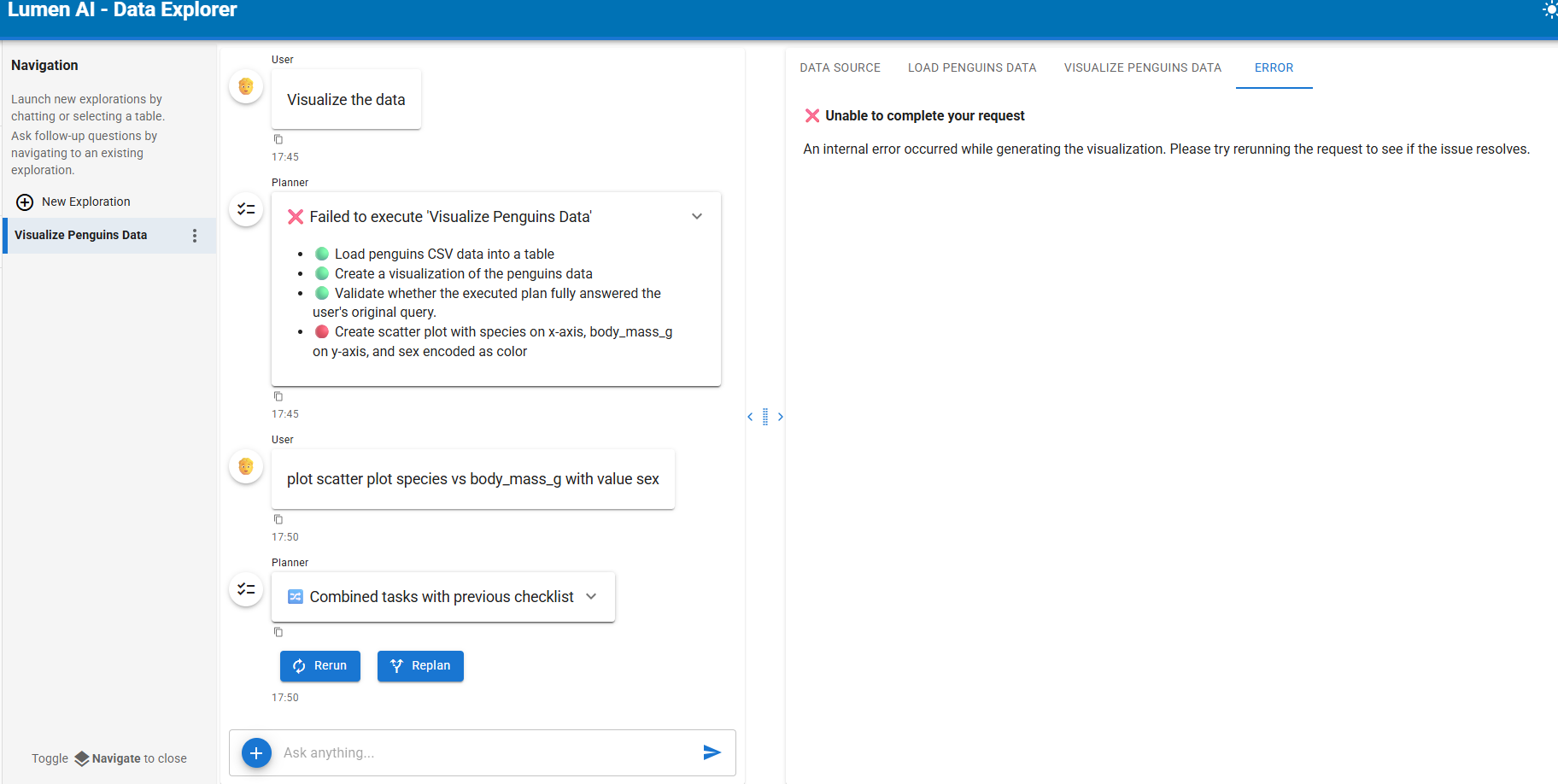
i try qwen-3 and work now for simple task, for graph mainly fail for example:

Depending on the size of qwen3, you might need to enable code execution.

thanks @ahuang11 for your advise. Kindly please advise if the plot or lumen apps need connection to internet and talk to others outside because I saw there are scheme from github as image below:


The AI model is local installed not use the API from cloud .

thanks

Hm I suppose it generates that, but you can probably point it to a local one in the prompt

Is it can setup in the backend for use only local model, local plot library,etc…so user no need to put in chat prompt because not all have knowledge about that.
If can, what is the command then. Kindly please advise