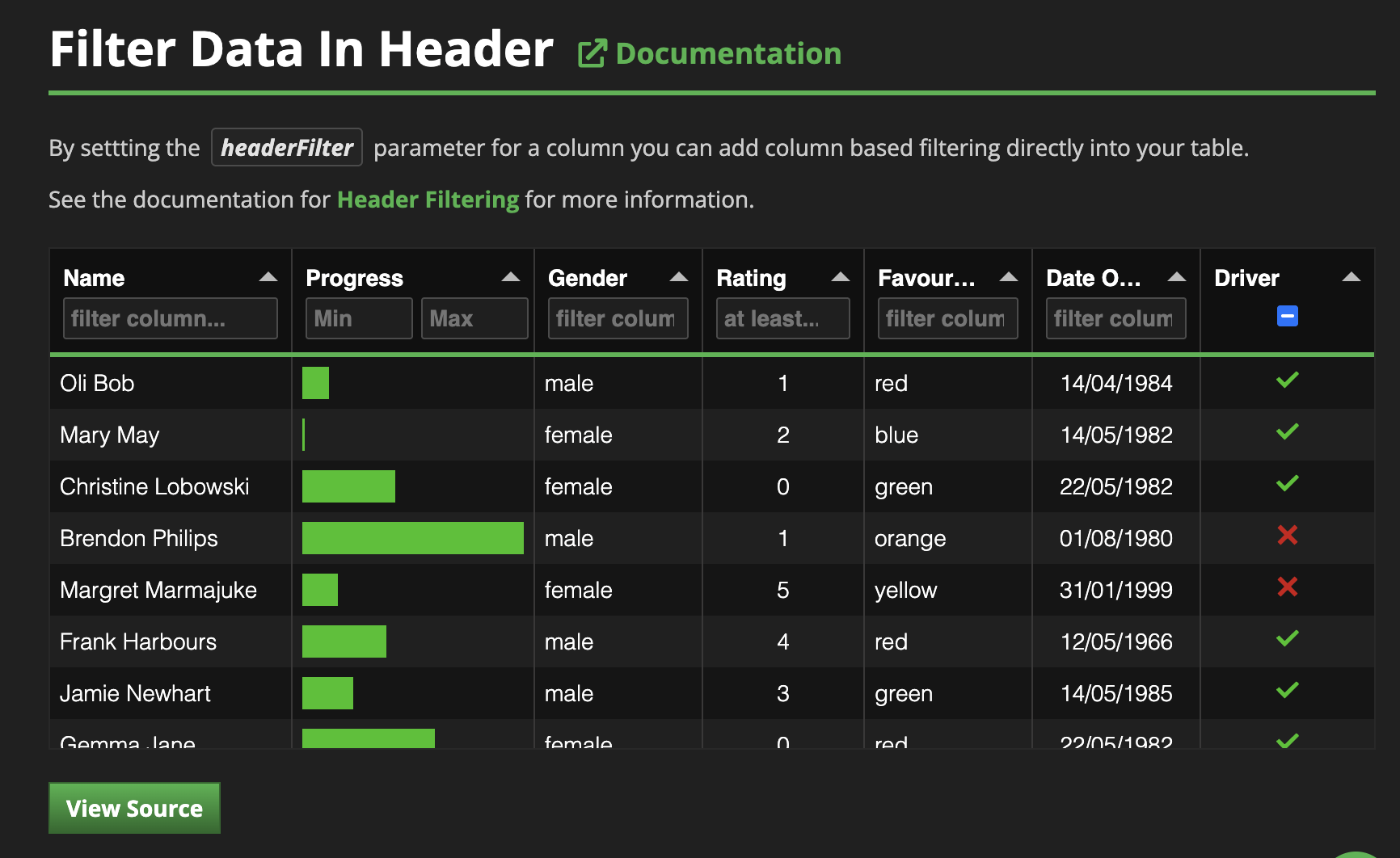
Numeric Range Filtering in Tabulator?

I’ve been pouring over the Tabulator documentation this evening trying to figure out how to do live range filtering of a numeric column. I have an integer column in my data table that I’d like to subset down to rows where in the integer value falls within a specified range.

This section in the Panel Tabulator documentation seems to imply that it’s possible to specify range filters simply through tuples programmatically.

I’m assuming, possibly naively, that it should be possible to specify that tuple in a header filter but I’ve not found a way yet to accomplish this. Has anyone else implemented this type of live filtering with Tabulator?

2 Likes

Me too :frowning:

I tried with the JSCode; no luck.

https://panel.holoviz.org/reference/widgets/Tabulator.html#formatters

import panel as pn
from bokeh.sampledata.airports import data as df

pn.extension("tabulator")

# Custom editor for min-max inputs (function expression only)
min_max_editor_code = """
function(cell, onRendered, success, cancel, editorParams){
    var end;
    var container = document.createElement("span");

    //create and style inputs
    var start = document.createElement("input");
    start.setAttribute("type", "number");
    start.setAttribute("placeholder", "Min");
    start.style.padding = "4px";
    start.style.width = "50%";
    start.style.boxSizing = "border-box";

    var currentValue = cell.getValue();
    if(currentValue && typeof currentValue === 'object'){
        start.value = currentValue.start || "";
    }

    function buildValues(){
        success({
            start:start.value,
            end:end.value,
        });
    }

    function keypress(e){
        if(e.keyCode == 13){
            buildValues();
        }
        if(e.keyCode == 27){
            cancel();
        }
    }

    end = start.cloneNode();
    end.setAttribute("placeholder", "Max");
    
    if(currentValue && typeof currentValue === 'object'){
        end.value = currentValue.end || "";
    }

    start.addEventListener("change", buildValues);
    start.addEventListener("blur", buildValues);
    start.addEventListener("keydown", keypress);

    end.addEventListener("change", buildValues);
    end.addEventListener("blur", buildValues);
    end.addEventListener("keydown", keypress);

    container.appendChild(start);
    container.appendChild(end);

    return container;
}
"""

# Custom filter function (function expression only)
min_max_filter_code = """
function(headerValue, rowValue, rowData, filterParams){
    if(rowValue){
        if(headerValue.start !== "" && headerValue.start !== undefined){
            if(headerValue.end !== "" && headerValue.end !== undefined){
                return rowValue >= parseFloat(headerValue.start) && rowValue <= parseFloat(headerValue.end);
            }else{
                return rowValue >= parseFloat(headerValue.start);
            }
        }else{
            if(headerValue.end !== "" && headerValue.end !== undefined){
                return rowValue <= parseFloat(headerValue.end);
            }
        }
    }
    return true;
}
"""

# Create the Tabulator widget with custom configuration
tabulator = pn.widgets.Tabulator(
    value=df.head(1000),
    sizing_mode="stretch_both",
    configuration={
        'columns': [
            {'title': 'Name', 'field': 'name', 'headerFilter': 'input'},
            {'title': 'City', 'field': 'city', 'headerFilter': 'input'},
            {'title': 'State', 'field': 'state', 'headerFilter': 'input'},
            {
                'title': 'Elevation', 
                'field': 'elevation',
                'headerFilter': pn.io.JSCode(min_max_editor_code),
                'headerFilterFunc': pn.io.JSCode(min_max_filter_code),
                'headerFilterLiveFilter': False
            },
        ]
    }
)

tabulator.show()

Saw it working in Tabulator docs

When columns are filtered, an event is generated and inside there is the reference to the headerFilterFunc. It is why there is the error.

For example if the headerFilterFunc is “<=”, you will get the following event:
{"events":[{"kind":"ModelChanged","model":{"id":"p1137"},"attr":"filters","new":[{"type":"map","entries":[["field","elevation"],["type","<="],["value","123"]]}]}]}

The event is triggered because panel listen the dataFiltering event of Tabulator. If you build panel and comment the following lines:
panel/panel/models/tabulator.ts at main · holoviz/panel
Your code is correct. However, you might have some side effect as panel will not listen anymore the dataFiltering event.

1 Like

As a patch, you can add cell.getTable().off("dataFiltering") in the 1st line in definition of min_max_editor_code function. This way panel will not listen on the dataFiltering event so Bokeh will not try to serialize a Function.

By using this trick, you will not be able to get the following parameter

  • filters (list): A list of client-side filter definitions that are applied to the table.
1 Like