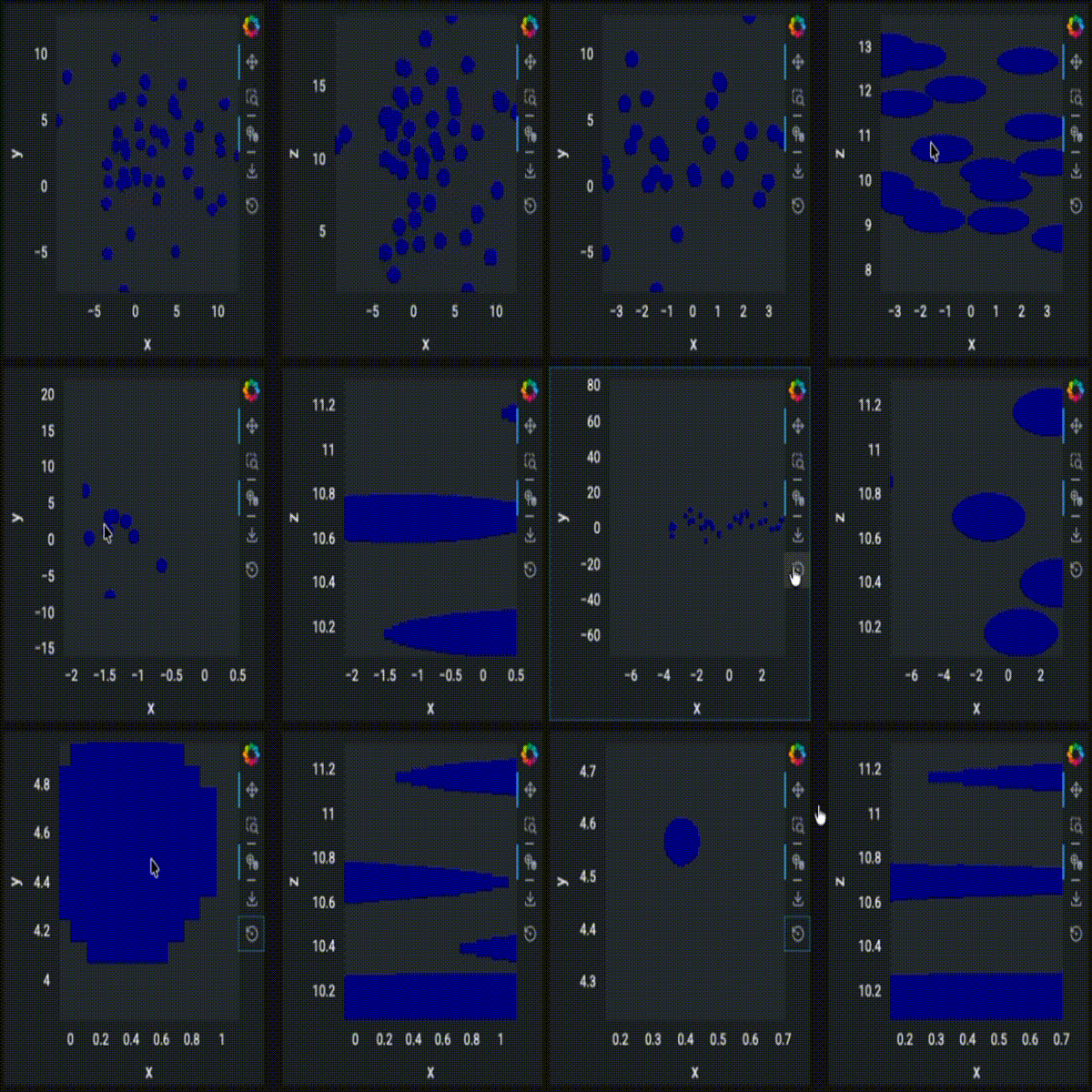
So I encountered this anomaly and I would really appreciate help with that.
A little bit background and motivation:
I wish to present a lot of points (for examples flights updates) using datashade and dynspread while overlaying hv.Points for highlighting. The hv.Points has no data and a pipe that recieve data that I want to highlight interactively through panel widgets.
Now lets say I have plots of time-height and time-climb_rate and I wish for the shared axis to be true so they are in sync (which activates automatically because they share the time dim).
The problem is that when zooming the second plots’ shaded points getting stretched and not properly rendered dynamically like normal. Now this phenomenon only happens when I overlay with hv.Points.
Things that I noticed as I explored a bit:
- If I put both plots in holoviews layout i.e plot1 + plot2 it works fine, but if I add them seperately to panel layout, like column for example I get the stretching rendering issue when zooming.
- If I take the holoviews layout and seperates it in panel layout the issue persists.
Is there a way to fix or workaround it? Thanks in advance.
Here is a minimal example that reproduce the issue:
import numpy as np
import pandas as pd

import holoviews as hv
from holoviews.operation.datashader import (
    datashade,
    dynspread,
)
import panel as pn

hv.extension("bokeh", width=100)
pn.extension(sizing_mode="stretch_both", theme="dark", design="material")

dynspread.max_px = 20
dynspread.threshold = 0.5


num = 10000
np.random.seed(1)

df = pd.DataFrame(
    dict(
        [
            ("x", np.random.normal(2, 5, 50)),
            ("y", np.random.normal(2, 5, 50)),
            ("z", np.random.normal(10, 5, 50)),
        ]
    )
)


def plot1(data):
    if data.empty:
        return hv.Points([], kdims=["x", "y"], vdims=["z"])
    return hv.Points(data, kdims=["x", "y"], vdims=["z"])


def plot2(data):
    if data.empty:
        return hv.Points([], kdims=["x", "z"], vdims=["y"])
    return hv.Points(data, kdims=["x", "z"], vdims=["y"])


pipe = hv.streams.Pipe(data=pd.DataFrame(columns=["x", "y", "z"]))


points1_source = hv.DynamicMap(
    plot1,
    streams=[pipe],
)
points2_source = hv.DynamicMap(
    plot2,
    streams=[pipe],
)


points1_base = dynspread(
    datashade(
        points1_source,
    )
)

points1 = points1_base * hv.Points([])

points2_base = dynspread(
    datashade(
        points2_source,
    )
)
points2 = points2_base * hv.Points([])

pipe.send(df)
pn.Column(
    pn.Row(
        pn.pane.HoloViews(points1),
        pn.pane.HoloViews(points2),
    ),
).servable()