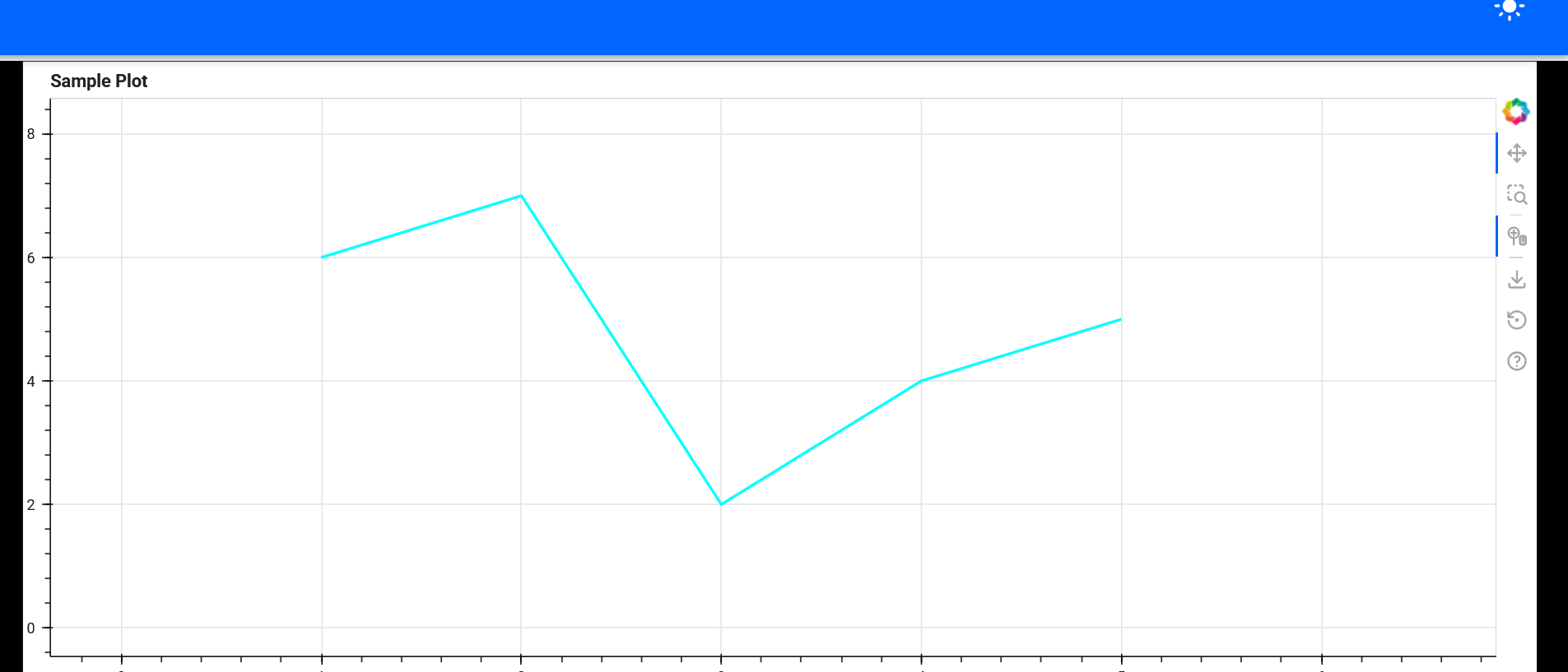
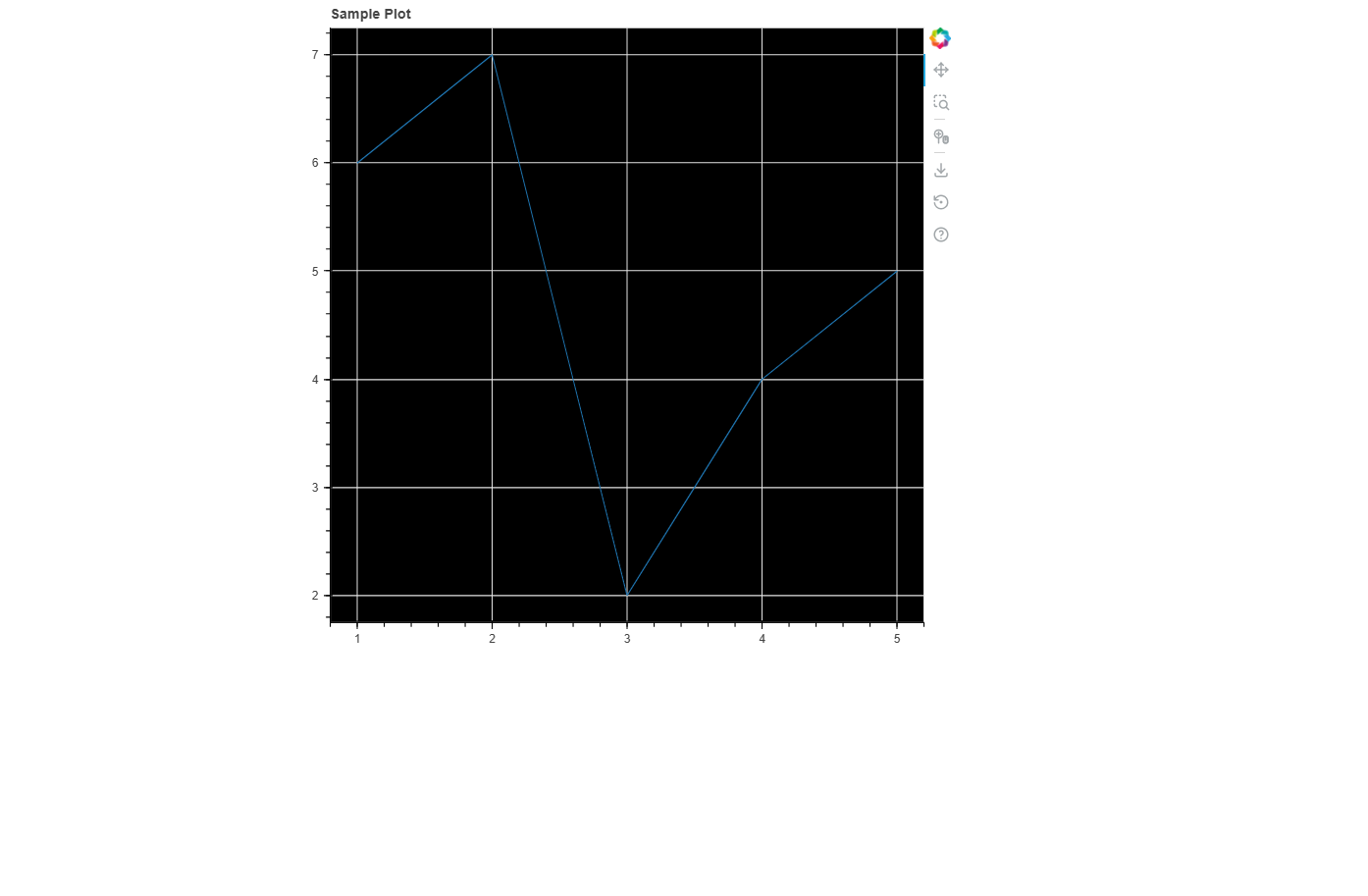
I have been using panel for quite a while now and wrote several applications using it.
I recently found out about Panel-Material-UI and am now trying to update those apps, however, I have been running into problems using pmui.Page and trying to configure certain Bokeh figure properties.
For example trying to set the background color (of the figure to black) with the following code (python -m panel serve test.py --show --autoreload):
import panel as pn
import panel_material_ui as pmui
from bokeh.plotting import figure

HEADER_COLOR = "#0066FF"
PAPER_COLOR = "#FFFFFF"
FIGURE_BACKGROUND_COLOR = "#000000"

THEME_CONFIG = {
    'palette': {
        'primary': {
            'main': HEADER_COLOR # The header is styled by the primary palette
        },
        'background': {
            'paper': PAPER_COLOR, # The remaining areas are paper colored
        },
    }
}

x = [1,2,3,4,5]
y = [6,7,2,4,5]

p = figure(title="Sample Plot")
line = p.line(x, y)
p.background_fill_color = FIGURE_BACKGROUND_COLOR

plt = pmui.Container(p)

pmui.Page(
    main=[plt],
    theme_config=THEME_CONFIG,
).servable()
I.e. the background color remains equivalent to the “palette.background.paper”-Property (white). It seems like the css of Bokeh is overwritten by the pmui.Paper properties/css. I suspect this behaviour can be modified, however, my css-skills were not good enough to identify what properties of the bokeh figure need to be changed. Any help would be appreciated
In case this behaviour is an actual error, I am using the following versions:
import panel as pn
import panel_material_ui as pmui
from bokeh.plotting import figure
from bokeh.models import CustomJS

pn.extension()

HEADER_COLOR = "#0066FF"
PAPER_COLOR = "#FFFFFF"
FIGURE_BACKGROUND_COLOR = "#000000"
FIGURE_TEXT_COLOR = "#FFFFFF"  # Add this for better visibility

THEME_CONFIG = {
    'palette': {
        'primary': {
            'main': HEADER_COLOR # The header is styled by the primary palette
        },
        'background': {
            'paper': PAPER_COLOR, # The remaining areas are paper colored
        },
    }
}

x = [1,2,3,4,5]
y = [6,7,2,4,5]

# Create figure with dark theme styling
p = figure(
    title="Sample Plot",
    background_fill_color=FIGURE_BACKGROUND_COLOR,
    border_fill_color=FIGURE_BACKGROUND_COLOR,
    outline_line_color=FIGURE_BACKGROUND_COLOR,
    sizing_mode='stretch_both'  # Better responsive sizing
)

# Set text colors for visibility on dark background
p.title.text_color = FIGURE_TEXT_COLOR
p.xaxis.axis_label_text_color = FIGURE_TEXT_COLOR
p.yaxis.axis_label_text_color = FIGURE_TEXT_COLOR
p.xaxis.major_label_text_color = FIGURE_TEXT_COLOR
p.yaxis.major_label_text_color = FIGURE_TEXT_COLOR

# Add the line plot
line = p.line(x, y, line_color="cyan", line_width=2)

# Create container with explicit styling
plt = pmui.Container(
    p,
    styles={'background-color': FIGURE_BACKGROUND_COLOR},
    sizing_mode='stretch_both'
)

# Create the page with dark theme configuration
page = pmui.Page(
    main=[plt],
    theme_config=THEME_CONFIG,
)

# Alternative approach: Force dark theme on the figure
# You can also try setting the theme directly
p.background_fill_color = FIGURE_BACKGROUND_COLOR
p.border_fill_color = FIGURE_BACKGROUND_COLOR

page.servable()
thanks for your reply, but unfortunately this does not really solve my Problem. I need the actual background of the Bokeh figure to be black (while the background of the Page remains white).
got it, I try pmui.Page overide the plot style applied it to always white background too,however if we switch to fast template it work as expected. may be there is an issue with pmui.page?
Thanks for opening that Marc, the problem is indeed that panel-material-ui takes over theming to align the plot theme with Material UI theme. That said we can and should work out a way to either combine the two, ensuring that the user provided theme is respected, or simply disable the Material UI overrides if a custom Theme is provided.