IpyScore
Check out IpyScore. Please note that the IpyScore Widget holds its state in the client/ browser. Thus any scores drawn before the widget is displayed will not be shown. That is why I included the button in the example.
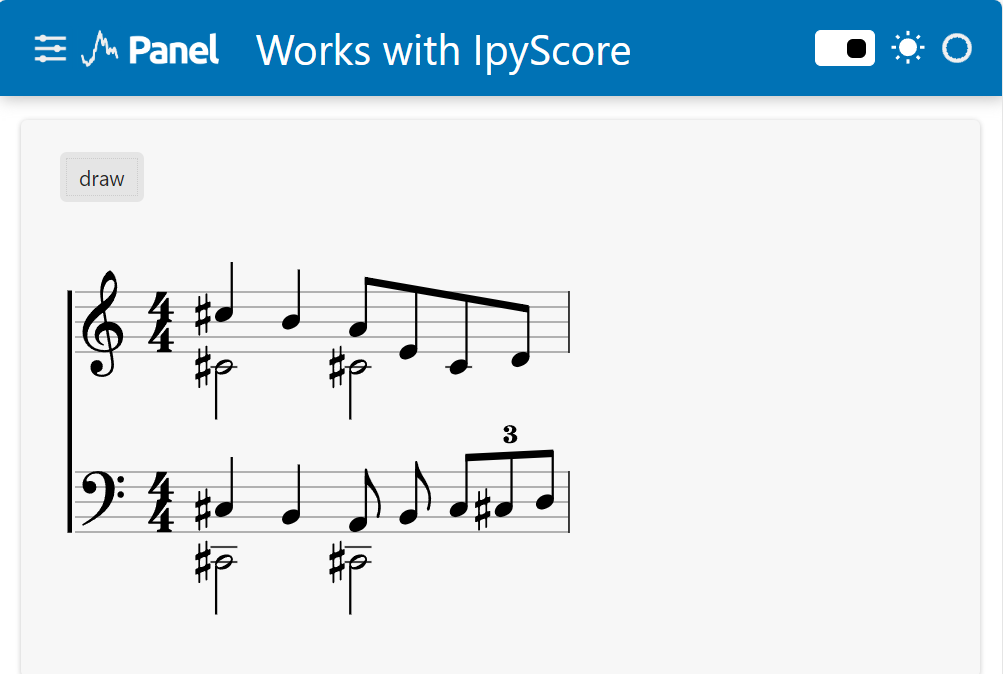
"""Panel data app based on https://github.com/davidbrochart/ipyscore/blob/main/examples/introduction.ipynb"""
# pip install panel ipywidgets_bokeh ipyscore
from ipyscore import Widget

widget = Widget(width=500, height=300)

# THE PANEL APP
import panel as pn

pn.extension("ipywidgets")

component = pn.Column(
    pn.pane.IPyWidget(widget, sizing_mode="stretch_both"),
    sizing_mode="stretch_both",
)

def draw(_=None):
    score = widget.new_score()
    system = widget.new_system()

    voices = [
        score.voice(
            score.notes("C#5/q, B4", stem="up").concat(
                score.beam(score.notes("A4/8, E4, C4, D4", stem="up"))
            )
        ),
        score.voice(
            score.notes("C#4/h, C#4", stem="down")
        ),
    ]

    system.add_stave(voices=voices).add_clef("treble").add_time_signature("4/4")

    voices = [
        score.voice(
            score.notes("C#3/q, B2, A2/8, B2", clef="bass", stem="up").concat(
                score.tuplet(score.beam(score.notes("C3/8, C#3, D3", clef="bass", stem="up")))
            )
        ),
        score.voice(
            score.notes("C#2/h, C#2", clef="bass", stem="down")
        ),
    ]

    system.add_stave(voices=voices).add_clef("bass").add_time_signature("4/4")
    system.add_connector()
    widget.draw()

draw_button = pn.widgets.Button(name="draw", on_click=draw)
pn.template.FastListTemplate(
    logo="https://panel.holoviz.org/_static/logo_horizontal_dark_theme.png",
    title="Works with IpyScore",
    main=[pn.Column(draw_button, component)],
).servable()