To give some more clarity regarding your good questions asked:
Converting this Panel dashboard to WASM did give me some nice challenges, but most are solved now. When converting any Panel app to a WASM version with:
panel convert wasmapp.py --to pyodide-worker
Issues to be aware of:
-
CORS limitation (of course, but PyPI works!) If a cross-origin request from a Pyodide application and the server’s response does not include the Access-Control-Allow-Origin header, the browser will block reading the response data, resulting in a CORS error.
-
Checking which Python packages work in WASM. So check Packages built in Pyodide. I made the ‘mistake’ to not check this in advanced. So set correct versions in pyproject.toml 100% Python packages are fine! The dependencies I used are minimal (Altair plots , Pandas), but crucial for a nice UI in Panel.
-
Low level signal handling is different in WASM. Some Python modules of CPython turn to use unix signals if available, e.g. signal.alarm(). Of course using signals also works not on MSWindows.
I try to keep my Python code as simple as possible, so no threading, sub processes when not needed. I created (with help of some AI) a simple debug tool to see what is loaded in WASM, see on Github:
module_load_validation2.html
Debugging WASM apps should be more simple, so my approach is that if things work in a ‘normal’ Panel app, I want to understand why things in WASM break and if it can be solved with some Python modifications.
>>“Have you tried precomputing the security stats into a static file that the Pyodide build loads instead of scanning live?”
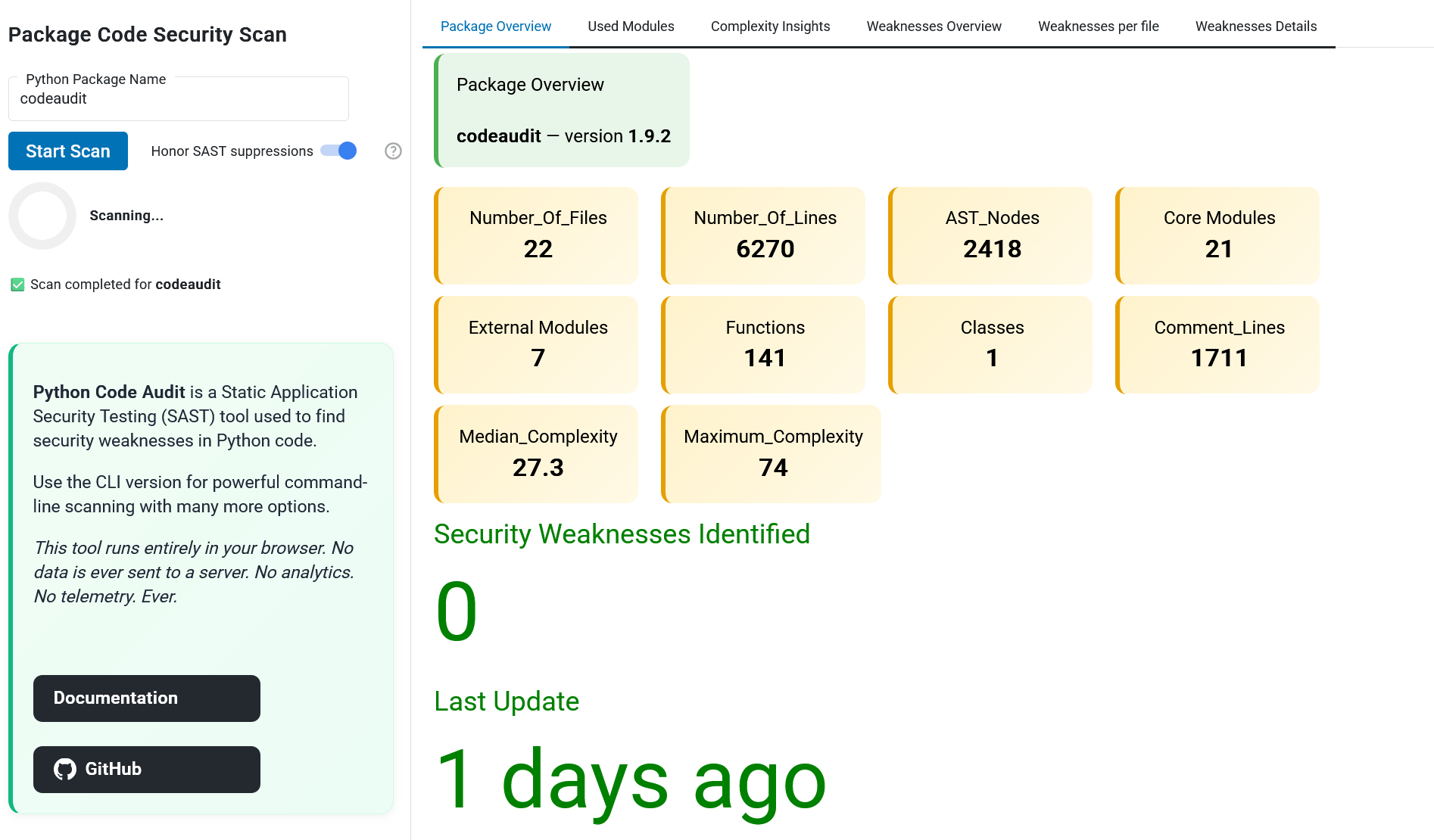
No: The key capability of this WASM version is the ‘live’ scanning or every random package available on PyPI.
>> “Also interested in whether the Material UI migration changes anything for the converted app.”
Few months ago I did not manage to get this ‘simple’ dashboard migrated to Material-UI (pm-ui) for widgets used. Converting the " TabMenu" did raised strange issues and errors, that I and AI could not solve. With Panel 1.10 (now released), some issues seem to be solved, so I will give it a new try! The nice thing I like (and use myself a lot!) is the online scanning of PyPI packages with this WASM version.
However many features used in the CLI versions will never be usable in a WASM version, mainly due to CORS. E.g. scanning local directories, local packages, or direct scan on local or remote tar.gz files (e.g. Python packages on github that will never be published on PyPI).
I am planning to create a full local Panel version for local use of Python Code Audit and maintain an improved 100% WASM version with use of Material UI widgets and some other UI improvements. The WASM version will always be a bit limited, but should work very good for a quick and good determination of weaknesses any Python package that is available on PyPI.
Regards!