Simple Panel Docs Examples for New Users

Hi all, I’m frequent user of Holoviz tools but new to this discourse. I wanted to raise as a discussion topic an idea for making Panel more accessible to new users, with the overarching theme being the reduction of transaction costs for new users trying to generate a working product. I realize my narrative here is heavily anecdotal (and long-winded…), but I’m curious to see if these ideas resonate with others. The tl;dr suggestion, though, is “lots of simpler examples, with more opinionated suggestions of Panel API and basic deployment.”

I started using python UI tools around 2019 (I knew 0 javascript at the time and needed to quickly generate proof of concept dashboards working for a ~10 person company with no front end devs). I dabbled extensively with Dash and Panel and settled on Panel because the constraint of plotly-only viz at the time infuriated me and the proprietary vibes for Dash scared me off. Since then I’ve settled on my recipes for working in Panel (using it on multiple projects over the years) and have evangelized about it to anyone who will listen.

I’ve been thinking recently about when I first started dabbling with these tools. I wasn’t concerned with any of the nuance these tools provide (API options, caching, etc); I just wanted something that gave me the interactivity I needed with the figure I wanted running in real time. To that end, I was looking over examples in docs trying to plagiarize something that looked good enough and was close enough to copy and modify into what I needed. Then, I would think about making it prettier / faster.

To pause and offer some high praise, as a more advanced user, I absolutely love the Panel docs refresh, and consult it all the time as I build out more nuanced apps these days. I should also point out that I think the pieces of what I’m focusing on mostly if not entirely exist within the current docs. I worry, however, that the transaction costs to “just give me an app” are too high when new users interact with these docs as they begin to explore dashboard tools.

To me, the missing piece in these docs are some highly-visible, highly-simplified examples of dashboards (essentially way more examples of a flavor of these examples in the APIs section). To put this in LLM prompting terms (more on LLM thoughts in a moment), I think it would be awesome to have a gallery of examples each addressing a prompt like the following:

I have a pandas dataframe and want to view a scatterplot / histogram / map / etc of some variables in a python panel app. The choice of these variables should be column names of the dataframe, each of which should be its own dropdown widget (or other common widget examples). Please use hvplot / bokeh / matplotlib / plotly / etc for the visualization. Can you write me a script?

(FWIW, I tried this as a prompt; other than hallucinating an invalid extension, this is decently close to how I tend to write Panel code these days, which feels like an in-between of the Declarative API and Callbacks API.)

I think these examples are also an appropriate opportunity to be more opinionated in recommending usage patterns with Panel. What do you think is the best recipe for rapidly building an app that can be improved / augmented in the future? Panel is so (fantastically) flexible to an advanced user that there’s also a paradox of choice for a new user. (And if there are truly no best recipes for new users of Panel–I realize the docs discuss the API trade-offs, then documenting multiple solutions to these examples like in the APIs section would probably be good.)

One other transaction cost focus-- deployment. I’ll just say similar to above, the new docs are outstanding, but I think it would be good to nudge new users specifically in higher-level docs to a more painless deployment option for quick dashboarding needs (and then link to the other options more nested away in the docs). Deployment was in my opinion Streamlit’s most brilliant marketing move a few years ago-- before quick deploy tools were mainstream, their strongest calling card was the ability at the time to deploy an app in one line of code. Having spent a ton of time at that point fighting cloud deployments (we had no cloud expertise at the time, and this was before the fantastic deployment docs addition to Panel), I was ready to switch for this alone, but did not out of concern at the time that they didn’t seem committed to staying open source.

A brief note on the LLM elephant in the room, I believe the docs I’m proposing can of course be generated with help from LLMs, but I think it’s a mistake to leave users to always generate them on their own with LLMs from scratch. Instead, I think curating these simple examples will serve as a nice ground truth for users who want to look at more trustworthy code (and as a bonus, will probably help with LLM results).

4 Likes

Thanks for the great suggestions, feedback and discussion.

I think I agree very much with you.

One problem I have is that we currently recommend basic users to start with a widget based approach. But what I believe is Panels core strength is the param.Parameterized approach. And I see colleagues never getting past the basics of widget based approach getting stuck and needing help to convert to param.Parameterized approach as their app grows. And they don’t really understand or appreciate that what they had been taught was a way to get started - but not a robust way to build larger apps. So my personal preference would be to accept that Panel requires something to get started - learning basics of param - but its also what makes it shine.

For the llms I have great success personally using holoviz-mcp which among other things exposes panel.prompt.md and panel-material-ui.prompt.md

I’ve tried several times to find the right concept for Awesome Panel. The purpose is to showcase how awesome panel is via inspirational examples. Its not where I would want it to be because there has been so much work to contribute to panel it self. And because its a project that has no other contributors. Its easy to make example apps - but keeping them updated and deployed robustly takes a lot of effort. I also tried to make it easy for the community to contribute and share examples. But there was really no demand and I was not able to create it.

Regarding deployment of demos. I think Py.Cafe is the simplest option out there. Secondly hugging face. Unfortunately py.cafe seems unmaintained at the moment as the author has not been communicating on social media so far in 2025. I hope one day Panel has similar solution as Py.Cafe. I’ve been trying to build and contribute it a few times. But I need help from others - especially Philipp - to solve technical issues. And its not been a priority.

1 Like

Ooooh, thanks for the holoviz-mcp suggestion! I’ve got two active panel projects right now and had not seen that. I am definitely going to hook that into my copilot setup, thanks!

I think I definitely had the same growing pains needing to move to the more complex API approaches as well. To also add a more specific comment to my earlier mention of my personal API use, I’ve found the class-based approach is extremely helpful for building apps, but I preferred not using param at all, instead doing explicit callbacks (the Claude answer I linked for example, minus a bit of hallucinating, does not actually use the param style but is class-based). In a class though, that means I can keep all my widgets and callbacks in one spot in my init, which I found easier to keep track of than scrolling to find each @param.depends call. I’ve also found working with both the param-declared widgets and panel widgets a bit weird, preferring to have just panel widgets. This could be interesting to follow up on if you want to discuss further.

I definitely have been a “consumer” of Awesome Panel, particularly when I first started making apps! I found it especially nice to get a sense of what was possible or even desirable (notably as someone who was at the time learning appropriate UI conventions on-the-fly). So to me, these more impressive apps can and should continue to play a role, including for earlier developers as a “North Star” of possibilities-- in full agreement with you there. I think my desire for these simpler apps is definitely a “yes and” situation.

For deployment of these simple examples, I was thinking they would just be jupyter notebooks designed to show the app in-notebook. And with the jupyterlite setup y’all have, there would be no additional deployment of the apps. Plus then a novice user would know he could simply download and run the notebook, modifying it to his use case to play with the tool in jupyter before even beginning thinking about how to deploy.

For testing the simple examples, I suppose this raises the question, how do y’all like to test your apps? There’s the playwright rabbit hole that I keep meaning to go down (but haven’t yet). One of the nice things for me with my class structure + explicit callbacks approach is I find it extremely straightforward to test my apps in code. Usually I write a couple helper functions in my test code for readability (e.g. def click_go_button()), and then I write tests triggering changes and evaluating appropriate changes to class attributes / underlying figures. (I should note I’ve had some weirdness with pytest fixtures of my application class not staying independent when testing in parallel, but otherwise it’s worked well.) If this is different from what you do and of interest, I’m happy to throw together a toy example.

I think there doesn’t necessarily have to be the “one true recommendation” for new users. But pointing to one or more options that hits the following specific novice constraints would be good:

  • I know git, here’s my repo.
  • I can make an account in something, but I need a free tier option.
  • I don’t know how the web works or how Docker works, just let me follow your instructions and the thing magically spins up.

The best analogy for me of what would be good is to think of a scientist who wants to publish a web page to discuss a result. The simplest option would be a blog post (e.g. create a medium account and post an article), and the tail end of complexity would be if he knows git to turn on Github Pages.

I’ve probably done too much formal deployment (usually docker + Google Cloud Run lately) to properly evaluate what a new user would consider easy, but all the non-Google / Azure / AWS options in the Panel docs look pretty friendly to someone who doesn’t know cloud / containerized deployments (though contrary to the current Panel docs, Heroku may not have a free tier anymore?). Again, I think the current Panel docs are sufficiently clear on this, but adding one higher level document pointing users to “free and clicky” options specifically would likely help a new user who might otherwise gravitate to the more known names (i.e. Google / Azure / AWS). Having an internally supported option would obviously be nice, but agreed sounds like the wrong priority, especially with these other fairly straightforward options now being available.

To make one different point against Py.Cafe being the “one true option,” being constrained to pyodide-supported python packages only would potentially cause problems for lots of users, though probably okay if appropriately flagged in these novice-focused docs (e.g. “We recommend Py.Cafe, but be sure to check that your requirements.txt dependencies are all Pyodide compatible here <is there a link for checking this?>”). I’ve personally had some headaches fighting through low-level dependencies to get my app client side before (albeit not in Py.Cafe, maybe they have more helpful debugging options for this?).

2 Likes

Interesting topic :slight_smile: The discussion goes in different directions, here’s my take on it.
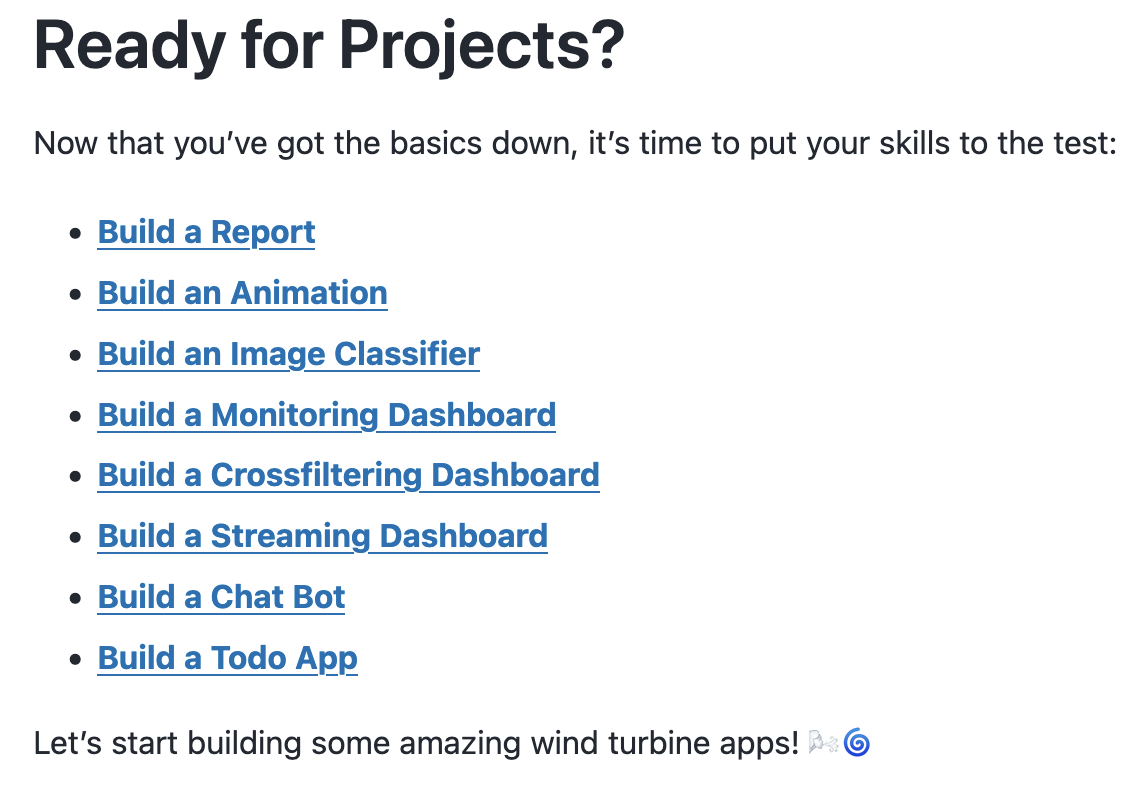
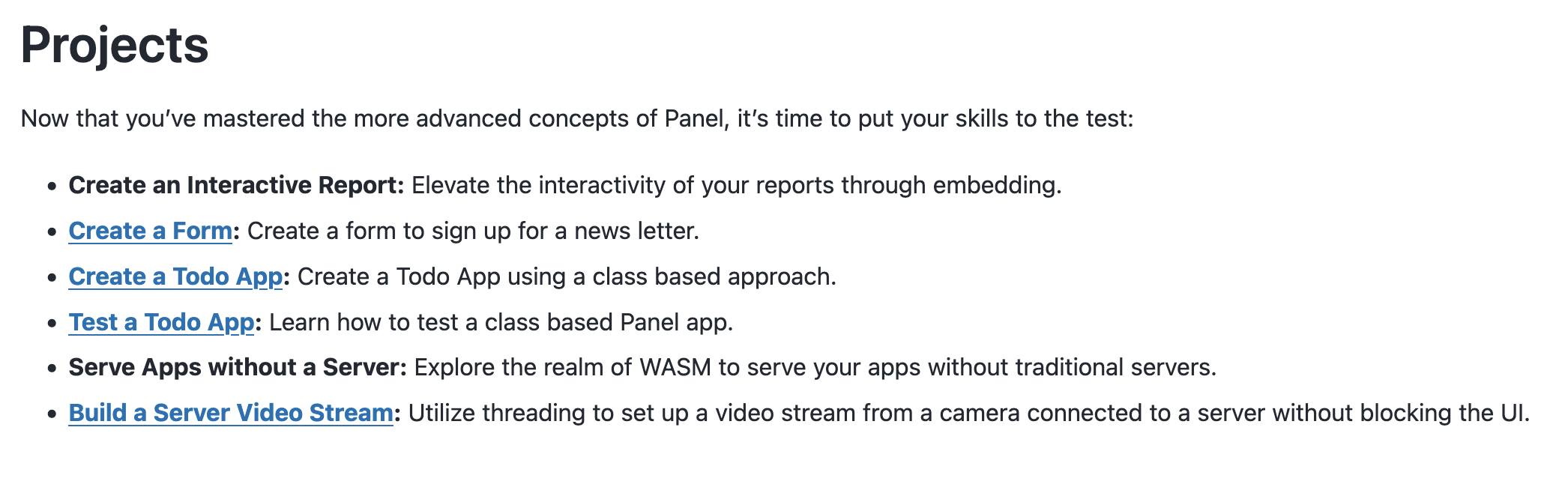
App examples

It seems to me @Marc has already created example apps that are aimed to fill the gap you’re exposing @gkoplik. They are called “Projects” and are part of the Tutorials section.

Basics

Intermediate

So maybe the work to do there would be:

  • Expose these apps as cards in the “App Gallery” (as this is where I would expect to find example apps as a user)
  • Deploy these apps?
  • Go through them and iterate to improve them?

API discussion

Yes we have so many APIs, which is a blessing and a curse :smiley: It confuses new comers, and obviously LLMs too! The code Claude generated starts with a red flag, the class it builds inherits from Parameterized but doesn’t use any feature of Param (it’s just overhead).

We have two different types of API to implement “reactivity”:

  1. If you only think in terms of events, we have watch, @depends(..., watch=True) (I prefer the latter as in most cases I only care about the updated value(s)), on_<event> (note Panel doesn’t have many of them compared to other frameworks, because it already has watch/depends).
  2. But you can also ignore events and use the reactive suite of APIs, with @depends, bind, rx, allow_refs, etc.

You can build the most complex app with 1) only. With 2) you can be faster at building apps (less code to write, interactivity easier to set up), but it’s likely you’ll need 1) at some point. Here is one reason why we struggle documenting these APIs, we like 2) a lot (expressive and powerful API) but it’s not enough so we also need to users to 1), that’s already quite a lot to know!

And three different ways to structure an app:

  1. Script/function based apps, with explicit creation of widgets and setting up interactivity in various ways (I’m not sure which one is more popular in this context, bind maybe?)
  2. Class based, non Parameterized, with explicitly created widgets that are made part of the class state (e.g. you’ll find self.w_name = TextInput() in the __init__ method)
  3. Class based, Parameterized, where widgets a created either automatically from the Parameter->Widget mapping Panel defines, or explicitely using Widget.from.param(self.param[<param_name>], **widget_kwargs).
    • Part of this approach, it becomes quite natural to aim at creating app components, inheriting from Panel Viewer or PyComponent and defining __panel__.

Personally, I prefer 3) over 2) (1 is fine for smaller apps) as I prefer the state of my components/app to be standard Python attributes rather than widgets. We probably see 2) more than we would like?

Anyway, it’d be great to reach a consensus on a “definitive guide for building Panel apps”!

Deployments

Unfortunately, HoloViz doesn’t have the resources to do what Streamlit did. Good documentation is the best we can do imo, so if you see gaps to be filled or parts that need to be improved, don’t hesitate :slight_smile:

The basics tutorial already ends with explaining how to deploy an app on HuggingFaces (Deploy a Dashboard — Panel v1.7.5), which is great at it lets new comers get the cool feeling of deploying their first app. @Marc do you know if there’s an easy way to see how many times the space was duplicated?

1 Like

No

Apologies for drifting in a lot of directions here. Let me respond following @maximlt’s topic breakdown.

App examples

Let me emphasize that I don’t know how relevant my thinking is to what y’all have experienced as you’ve built out this tool and incorporated user feedback over the years, but here’s the user I’m imagining coming to the docs:

  1. This user has a pandas dataframe they want to interact with. (Probably a combinatorial explosion of other things to be considered here, but I’ll fix this one for now and hope that this doesn’t invalidate my overall suggestion.)
  2. This user has a specific viz tool they’re comfortable with (e.g. matplotlib, bokeh, hvplot, etc.).
  3. This user has loose ideas of desired interactivity, but isn’t particularly committed to any specific widget.
  4. This user wants to “just make something” first, and answer all other questions later about deployment, scaling, etc. later (if at all).

(Obviously if this flavor of user seems wildly off from the user base you’ve interacted with, please shout me down on this.)

If these sorts of users exist, my question becomes, what does this user need to look at in the docs to “just make something”?

To your specific bullet points:

  • I think exposing those apps in a higher-level gallery, independent of the narrative arc of the docs, will definitely help, but I think these are still sufficiently specific to miss the user I’m envisioning (more below).
  • I’m actually not all that concerned with deployment. With your lovely deployment docs, and the ease with which I can spin something up in a notebook or a script, I actually prefer focusing these docs on, for example, apps within notebooks, to let the user focus on making and interacting with a basic app first before contemplating deployment.
  • I think the key is not to improve these (very nice) distinct apps, but to have simpler, more mundane apps (more below).

The comparable thing I had in mind was more like the holoviews reference gallery– straightforward, standalone examples covering the most basic use case plus a bit of nuance for more flexible tools. To go back to my hypothetical user above, if I could click on a single page showing code for an app using a known dataframe like mtcars that uses my viz of choice with a widget, then I could copy and paste that code and quickly tweak it to fit my needs to get the quick win. Then, I’d be more motivated to dig into the (again, wonderful) narrative arc of the docs to improve my app (i.e. invest in being a proper, more committed user to the more powerful tool, now that I’m convinced it does the basics of what I need it to do).

I should emphasize as I try to encourage making a large number of examples that I would be happy to help with these. If there’s a sufficient interest, I’d be happy to draft one as an example in the next week. And if there were further interest from there, I could also draft some basic testing (I like to test app classes with standard pytest; not exactly the same as using the app or a testing tool like playwright, but has worked well for my more complex apps for maintaining functionality).

API Discussion

For the 2 types of reactivity, I’ll just say this makes me think it would be better to build the simple docs using (1) first, and if also building them with (2), to flag the simple docs with a warning about it not scaling to more complex apps.

For the 3 types of ways to structure an app, I’ll just say I’m perhaps “part of the problem” because I am very much a fan of (2). My fuzzy recollection of what drove me that way over (3) a few years ago was of being a bit confused about how to use the panel widgets on top of param interactivity (not that it’s hard, especially once you get one attribute mapped onto a widget; it felt like an extra step though that wasn’t as intuitive as simply interacting with the nice panel widgets). I guess I’m not helping converge on a consensus :sweat_smile:

Deployments

Ah, I think that basic deploy a dashboard doc is perfect! I would just want to also include it in this loosely-scoped reference gallery.

1 Like

That sounds go, to me at least! What you could start with is opening a Github issue and describe the kind of changes you’d like to see (if you don’t get to do it yourself in the end, which happens all the time and is fine for an OSS project, then at least the issue is recorded in the right place).

No I think you’re helping! It’s just that we should probably have a more dedicated discussion around this and with involvement from a lot more people (all holoviz maintainers plus interested contributors like you).

1 Like

Sorry for the delay, issue written here

1 Like

The problem with these examples is they describe the app - And chances are very good that the user does not want to make a “To Do” app.

If there were some way to enhance the descriptions with “This example demonstrates features X and Y” they would be more useful. And maybe in greater detail at the top of each example page, “This example demonstrates feature X, which is commonly used for … and feature Y which has this other user story”

1 Like

There is a way @j-carson :+1:. Any one can contribute via pull requests to the documentation. For example to panel/doc/tutorials/basic/build_todo.md.