Y Axis Padding

I can’t get one of my (hv)plots to pad the y axis to allow for the top and bottom columns from the df to be away from the border
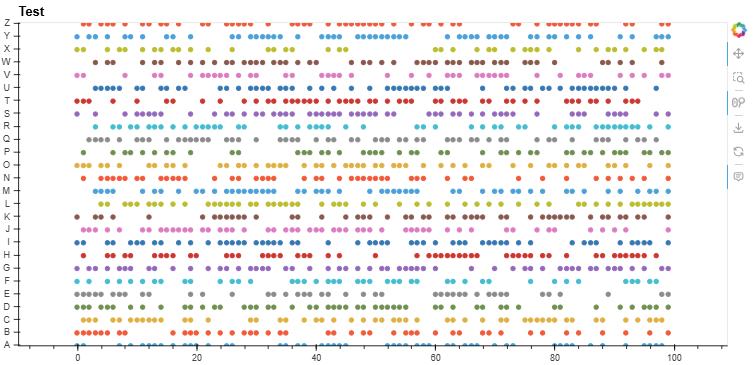
Here is an MRE.

import numpy as np
import pandas as pd
import hvplot.pandas # noqa
import panel as pn

df = pd.DataFrame(np.random.randint(0,2,size=(100, 26)), columns=list('ABCDEFGHIJKLMNOPQRSTUVWXYZ'))


for col in df.columns:
     df[col] = np.where(df[col] == 1, col, "")


plot = df.hvplot.scatter(framewise=True,
                    shared_axes=False,
                    subcoordinate_y={"subcoordinate_scale": 0.1},
                    title="Test",
                    padding=(0.1, 0.75),
                    responsive=True,
                   legend=False,)

pn.Row(plot).show()

If someone has a better idea of how to plot on / off, 0 / 1, go / no go values without the numpy where and subcoordinate parts please let me know?
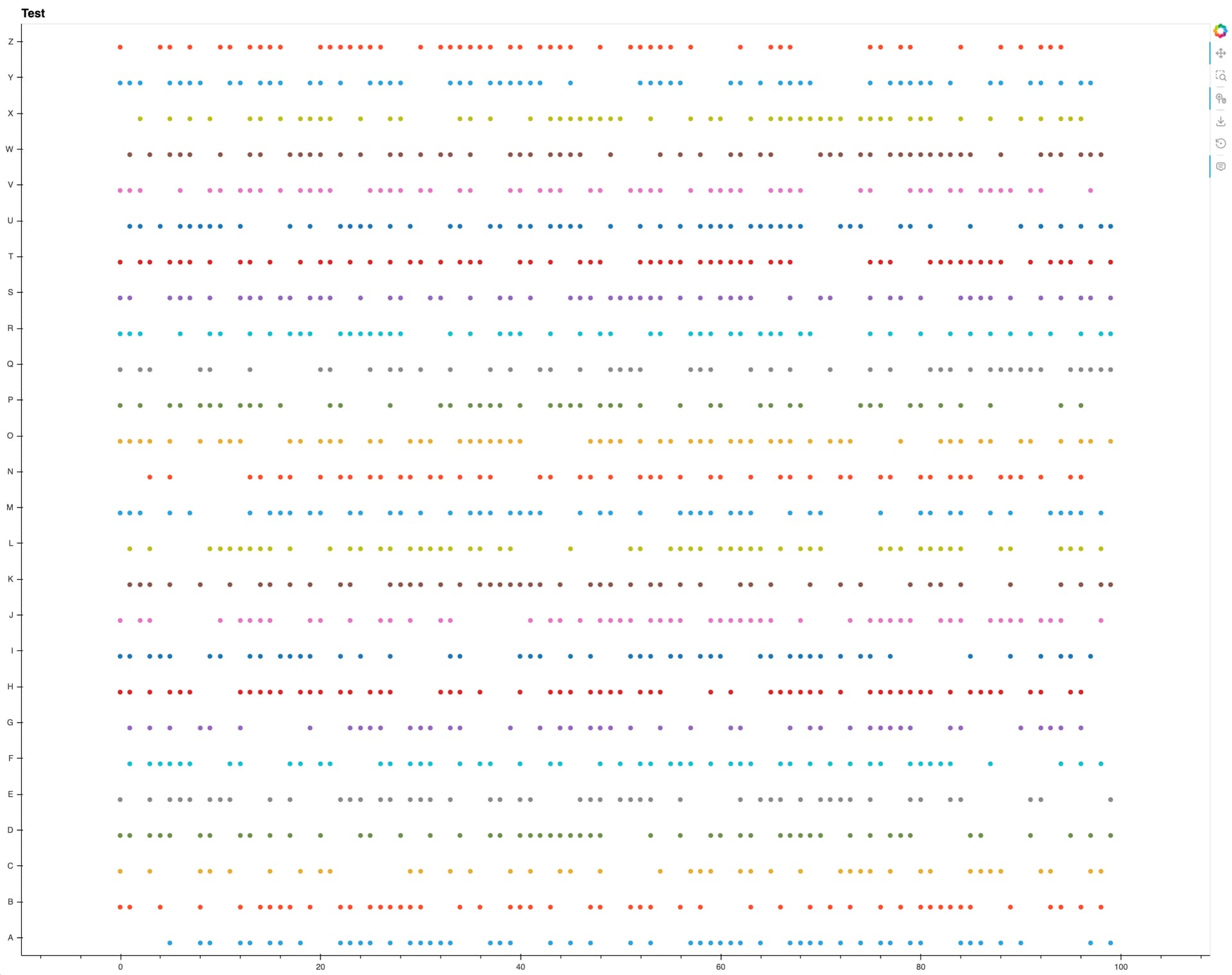
Maybe manually set the ylim.

import numpy as np
import pandas as pd
import hvplot.pandas  # noqa
import panel as pn

df = pd.DataFrame(
    np.random.randint(0, 2, size=(100, 26)), columns=list("ABCDEFGHIJKLMNOPQRSTUVWXYZ")
)


for col in df.columns:
    df[col] = np.where(df[col] == 1, col, "")


plot = df.hvplot.scatter(
    framewise=True,
    shared_axes=False,
    subcoordinate_y={"subcoordinate_scale": 0.3},
    title="Test",
    responsive=True,
    legend=False,
    ylim=(-0.5, len(df.columns) - 0.5),
)

pn.Row(plot).show()

However, feel free to submit an issue to hvplot / holoviews that padding doesn’t handle categoricals.

I think the numpy where is necessary.

1 Like

@ahuang11 Thanks for the response. The ylim solution does work in the MRE however in my own plots its results in the top gap being larger than the bottom so I created the github issue.

Y Axis Padding & Categorical Data · Issue #1689 · holoviz/hvplot