Playing with PyGlobeGL + Panel
I came across PyGlobeGL recently and had to try it with Panel. It’s an anywidget wrapper for globe.gl that lets you create interactive 3D globes in Python.
What I like about it:
- Works nicely with Panel via
pn.pane.IPyWidget - Supports hover/click callbacks, so you can wire it up to other Panel components
- Has different layer types (points, arcs, polygons, heatmaps, etc.)
Installation
uv add panel wachfiles ipywidgets_bokeh setuptools pyglobegl
Note: setuptools is needed until ipywidgets_bokeh#125 has been resolved.
Getting Started
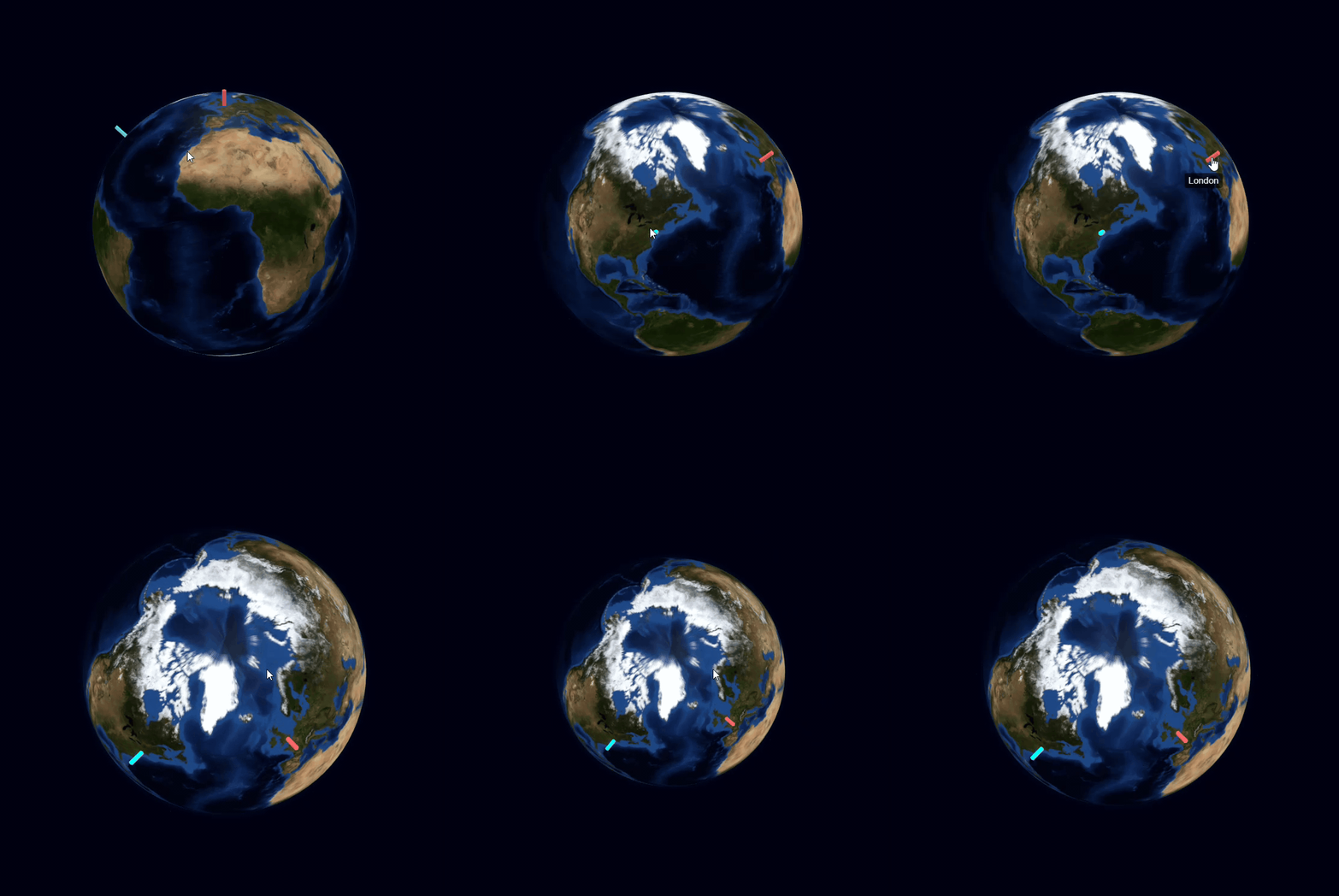
Here’s a minimal example - just two cities on a globe:
import panel as pn
from pyglobegl import GlobeConfig, GlobeLayerConfig, GlobeWidget, PointDatum, PointsLayerConfig

pn.extension("ipywidgets")

points = [
    PointDatum(lat=51.5, lng=-0.1, color="#ff6b6b", label="London", radius=0.8),
    PointDatum(lat=40.7, lng=-74.0, color="#00ffff", label="New York", radius=0.8),
]

config = GlobeConfig(
    globe=GlobeLayerConfig(
        globe_image_url="https://cdn.jsdelivr.net/npm/three-globe/example/img/earth-blue-marble.jpg"
    ),
    points=PointsLayerConfig(points_data=points),
)
globe = GlobeWidget(config=config)

pn.pane.IPyWidget(globe, height=800, width=800).servable()
Run it with panel serve hello_globe.py - you can drag to rotate and scroll to zoom.
A Bigger Example: Flight Network
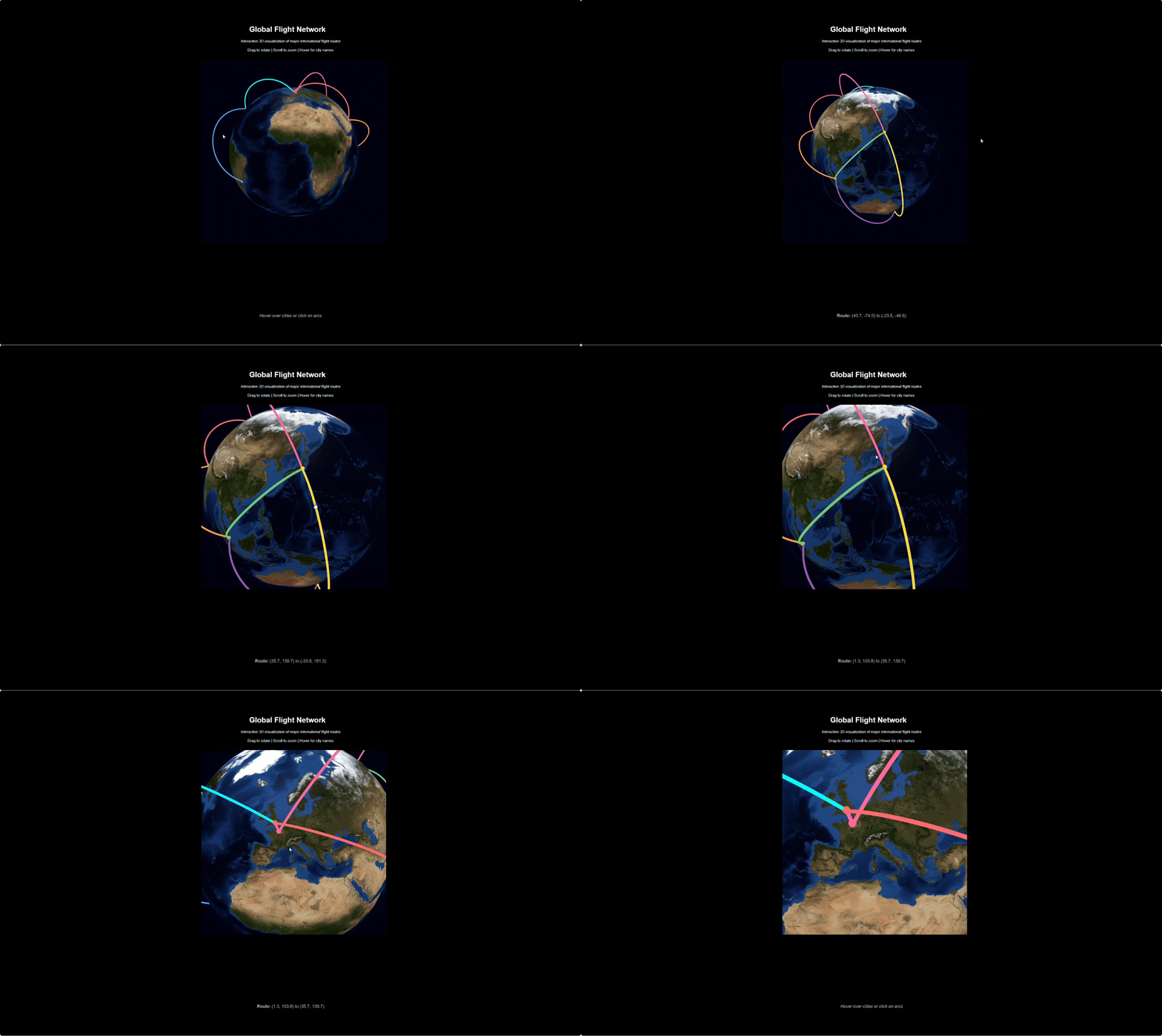
I put together a more complete example with flight arcs connecting cities, a dark theme, and event callbacks that update a status line when you hover:
Click to expand full code
"""Global Flight Network - PyGlobeGL Demo."""

import panel as pn
from pyglobegl import (
    ArcDatum,
    ArcsLayerConfig,
    GlobeConfig,
    GlobeLayerConfig,
    GlobeWidget,
    PointDatum,
    PointsLayerConfig,
)

# Major world cities (lat, lng, name, color)
cities = [
    (40.7, -74.0, "New York", "#00ffff"),
    (51.5, -0.1, "London", "#ff6b6b"),
    (35.7, 139.7, "Tokyo", "#ffd93d"),
    (1.3, 103.8, "Singapore", "#6bcb77"),
    (-33.9, 151.2, "Sydney", "#9b59b6"),
    (25.3, 55.3, "Dubai", "#ff9f43"),
    (48.9, 2.3, "Paris", "#ff6b9d"),
    (-23.5, -46.6, "Sao Paulo", "#54a0ff"),
]

# Create city points
points = [
    PointDatum(lat=lat, lng=lng, altitude=0.02, color=color, label=name, radius=0.8)
    for lat, lng, name, color in cities
]

# Create flight arcs between cities
arcs = [
    ArcDatum(
        start_lat=40.7,
        start_lng=-74.0,
        end_lat=51.5,
        end_lng=-0.1,
        color="#00ffff",
        stroke=1.5,
    ),
    ArcDatum(
        start_lat=51.5,
        start_lng=-0.1,
        end_lat=25.3,
        end_lng=55.3,
        color="#ff6b6b",
        stroke=1.5,
    ),
    ArcDatum(
        start_lat=25.3,
        start_lng=55.3,
        end_lat=1.3,
        end_lng=103.8,
        color="#ff9f43",
        stroke=1.5,
    ),
    ArcDatum(
        start_lat=1.3,
        start_lng=103.8,
        end_lat=35.7,
        end_lng=139.7,
        color="#6bcb77",
        stroke=1.5,
    ),
    ArcDatum(
        start_lat=35.7,
        start_lng=139.7,
        end_lat=-33.9,
        end_lng=151.2,
        color="#ffd93d",
        stroke=1.5,
    ),
    ArcDatum(
        start_lat=40.7,
        start_lng=-74.0,
        end_lat=-23.5,
        end_lng=-46.6,
        color="#54a0ff",
        stroke=1.5,
    ),
    ArcDatum(
        start_lat=51.5,
        start_lng=-0.1,
        end_lat=48.9,
        end_lng=2.3,
        color="#ff6b9d",
        stroke=1.5,
    ),
    ArcDatum(
        start_lat=48.9,
        start_lng=2.3,
        end_lat=35.7,
        end_lng=139.7,
        color="#ff6b9d",
        stroke=1.5,
    ),
    ArcDatum(
        start_lat=-33.9,
        start_lng=151.2,
        end_lat=1.3,
        end_lng=103.8,
        color="#9b59b6",
        stroke=1.5,
    ),
]

config = GlobeConfig(
    globe=GlobeLayerConfig(
        globe_image_url="https://cdn.jsdelivr.net/npm/three-globe/example/img/earth-blue-marble.jpg"
    ),
    points=PointsLayerConfig(points_data=points),
    arcs=ArcsLayerConfig(arcs_data=arcs),
)

pn.extension(
    "ipywidgets",
    raw_css=[
        """
    body, .bk-root, .pn-container {
        background-color: #000 !important;
    }
"""
    ],
)

header = pn.pane.Markdown(
    """
    # Global Flight Network
    *Interactive 3D visualization of major international flight routes*

    Drag to rotate | Scroll to zoom | Hover for city names
    """,
    styles={"text-align": "center", "color": "white"},
    sizing_mode="stretch_width",
)

globe = GlobeWidget(config=config)
globe_pane = pn.pane.IPyWidget(globe, height=800, width=800)

# Event display pane
event_pane = pn.pane.Markdown(
    "*Hover over cities or click on arcs*",
    styles={"text-align": "center", "color": "#aaa", "font-size": "14px"},
    sizing_mode="stretch_width",
)


def on_point_hover(current, _previous):
    if current:
        label = current.get("label", "Unknown")
        lat = current.get("lat")
        lng = current.get("lng")
        event_pane.object = (
            f"**Hovering:** {label} ({lat:.1f}, {lng:.1f})"
            if lat and lng
            else f"**Hovering:** {label}"
        )
    else:
        event_pane.object = "*Hover over cities or click on arcs*"


def on_point_click(point, _coords):
    if point:
        event_pane.object = f"**Clicked:** {point.get('label', 'Unknown')}"


def on_arc_hover(current, _previous):
    if current:
        start_lat = current.get("startLat")
        start_lng = current.get("startLng")
        end_lat = current.get("endLat")
        end_lng = current.get("endLng")
        if all(v is not None for v in [start_lat, start_lng, end_lat, end_lng]):
            event_pane.object = f"**Route:** ({start_lat:.1f}, {start_lng:.1f}) to ({end_lat:.1f}, {end_lng:.1f})"


def on_arc_click(arc, _coords):
    if arc:
        start_lat = arc.get("startLat")
        start_lng = arc.get("startLng")
        end_lat = arc.get("endLat")
        end_lng = arc.get("endLng")
        if all(v is not None for v in [start_lat, start_lng, end_lat, end_lng]):
            event_pane.object = f"**Route clicked:** ({start_lat:.1f}, {start_lng:.1f}) to ({end_lat:.1f}, {end_lng:.1f})"


globe.on_point_hover(on_point_hover)
globe.on_point_click(on_point_click)
globe.on_arc_hover(on_arc_hover)
globe.on_arc_click(on_arc_click)

content = pn.Column(header, globe_pane, event_pane, align="center")

layout = pn.Row(
    pn.Spacer(sizing_mode="stretch_width"),
    content,
    pn.Spacer(sizing_mode="stretch_width"),
    styles={"background-color": "#000", "min-height": "100vh"},
    sizing_mode="stretch_width",
)
layout.servable()
Links
- PyGlobeGL GitHub - check out the docs for more layer types (polygons, paths, heatmaps, rings, etc.)